
ᐅ Poor Wi-Fi in a Newly Built Home Despite Fiber Optic Connection
Created on: 20 Nov 2020 22:31
T
Tx-25
Hello. Today, after 6 months, we finally got internet in our new build. I set up the fiber optic connection on the FritzBox 7590 router. For that, I reset the router to factory settings and configured it according to the fiber installation guide. Then I updated it to the latest version. Somehow, the Wi-Fi isn’t as fast as expected. What could be the reason? The router is located in the utility room (ground floor corner) on a cabinet. Our living room is in the opposite corner on the ground floor. There, we have 3 out of 4 bars, sometimes even less. The speed is not particularly good either.
In the upstairs bathroom (directly above the utility room), the connection is practically non-existent. If I go to the upstairs hallway, I get 3 bars. Shouldn’t the signal actually be stronger throughout, even without a repeater?
The fiber modem and the FritzBox are connected by an Ethernet cable I already had. Should this cable be upgraded? Are there any other tips?
The switch for the LAN outlets isn’t connected yet. I still need to order it and install the wiring.
In the upstairs bathroom (directly above the utility room), the connection is practically non-existent. If I go to the upstairs hallway, I get 3 bars. Shouldn’t the signal actually be stronger throughout, even without a repeater?
The fiber modem and the FritzBox are connected by an Ethernet cable I already had. Should this cable be upgraded? Are there any other tips?
The switch for the LAN outlets isn’t connected yet. I still need to order it and install the wiring.
K
knalltüte21 Nov 2020 18:24Check what is written in the yellow highlighted area of the FritzBox.
Then compare it to what you ordered. They shouldn’t differ much from each other...

Then compare it to what you ordered. They shouldn’t differ much from each other...
G
Grobmutant21 Nov 2020 19:21bauenmk2020 schrieb:
I have a LAN outlet in every room. If you have the same, it’s best to “sacrifice” one outlet for an access point.You don’t necessarily have to sacrifice a network outlet for an access point. Some access points have built-in LAN ports, like the Unifi In-Wall, for example. This way, instead of just a network outlet, you can install the in-wall unit at that location and still have 2 or 4 LAN connections available.
Hello. So far, I have expressed myself somewhat inconsistently. For now, it's only about the Wi-Fi, as I haven’t connected anything via LAN yet.
But a quick info: We ordered a VDSL 50 (Magenta M) from Telekom. That was enough for us before. If necessary, I can upgrade to a 100 Mbps line for 5 euros more per month.
I measured the Wi-Fi right in front of the box; once in the 2.4 GHz band and once in the 5 GHz band. The pictures are attached, as well as a photo of the router settings and our wall outlets.
Something seems to be set incorrectly on the router. The LAN connection is disabled. I can’t find any setting to change this. Therefore, I haven’t been able to test it yet. The FritzBox is connected to the fiber optic modem via network cable. That should be correct, right? What’s still missing is the connection between the sub-device and the switch.
Regarding my expectations for Wi-Fi performance: As a layperson, I assumed that fiber optic and a good router would cover our single-family home. In the living room, we have 2 to 3 out of 4 bars. 2 bars are already not ideal. The corners of the utility room and the living room touch each other (but there are 2 walls in between). I thought the living room would still have at least a steady 3 bars.
Am I right to think that I could also connect the router to a wall outlet in the living room if the modem, the sub-device, and the modem are wired first? That way, the router would be moved out of the electrical cabinet corner (interference signals).
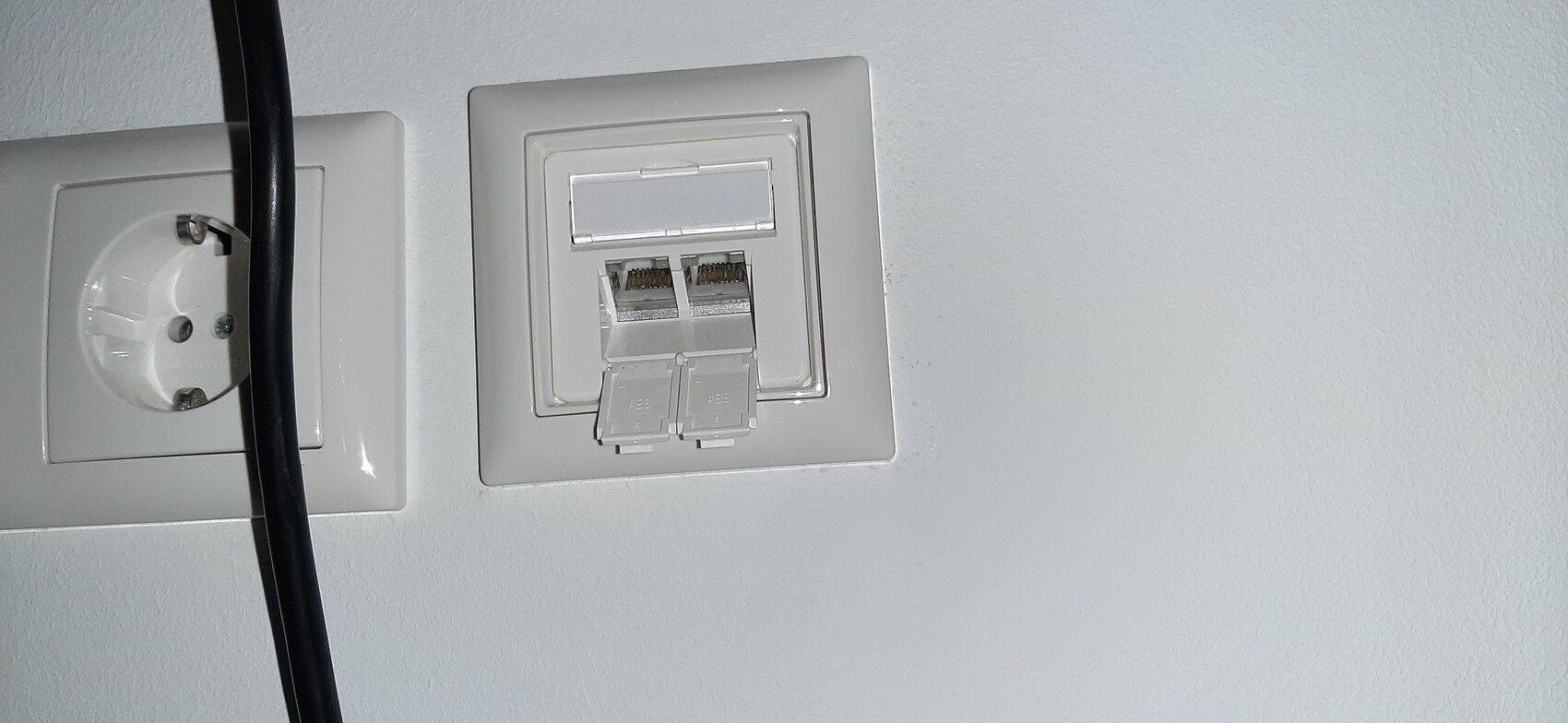
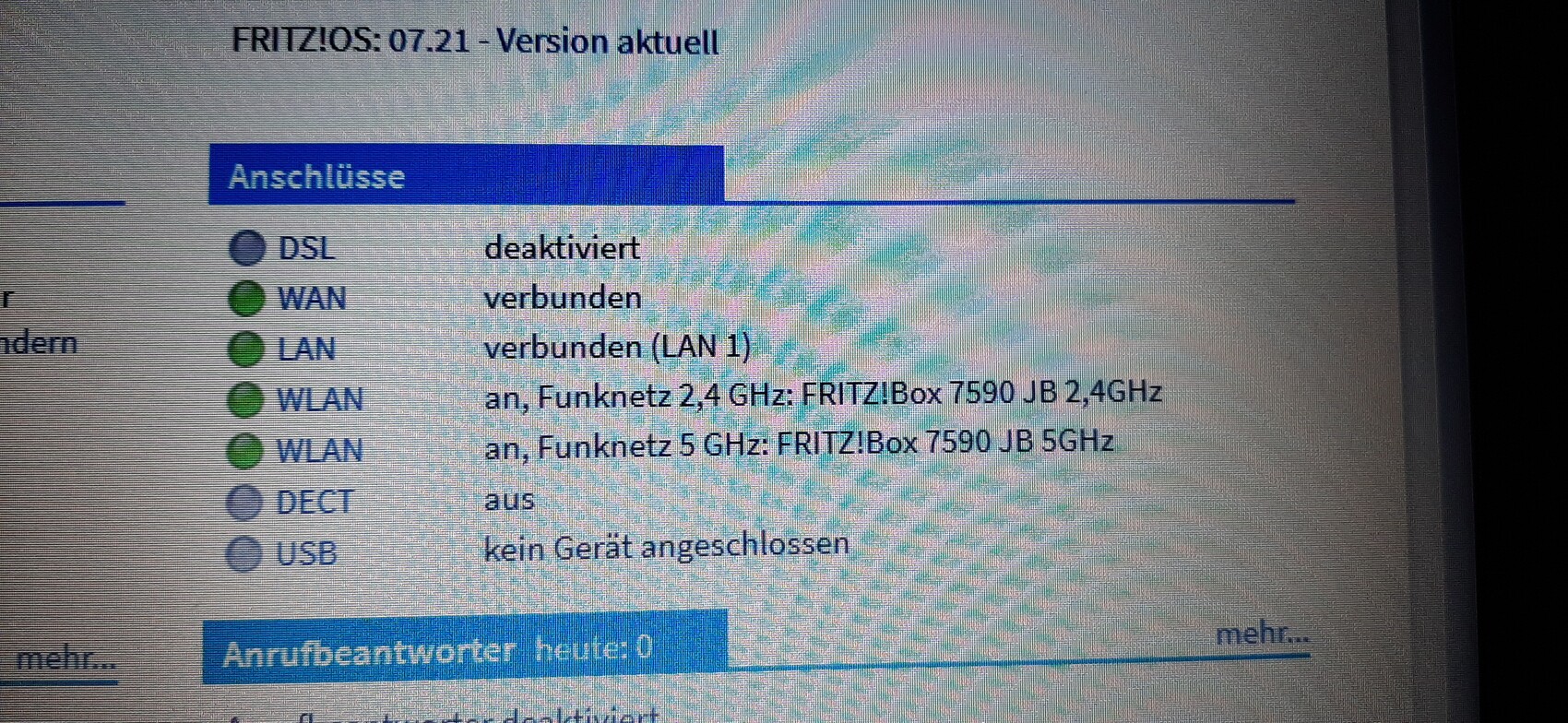
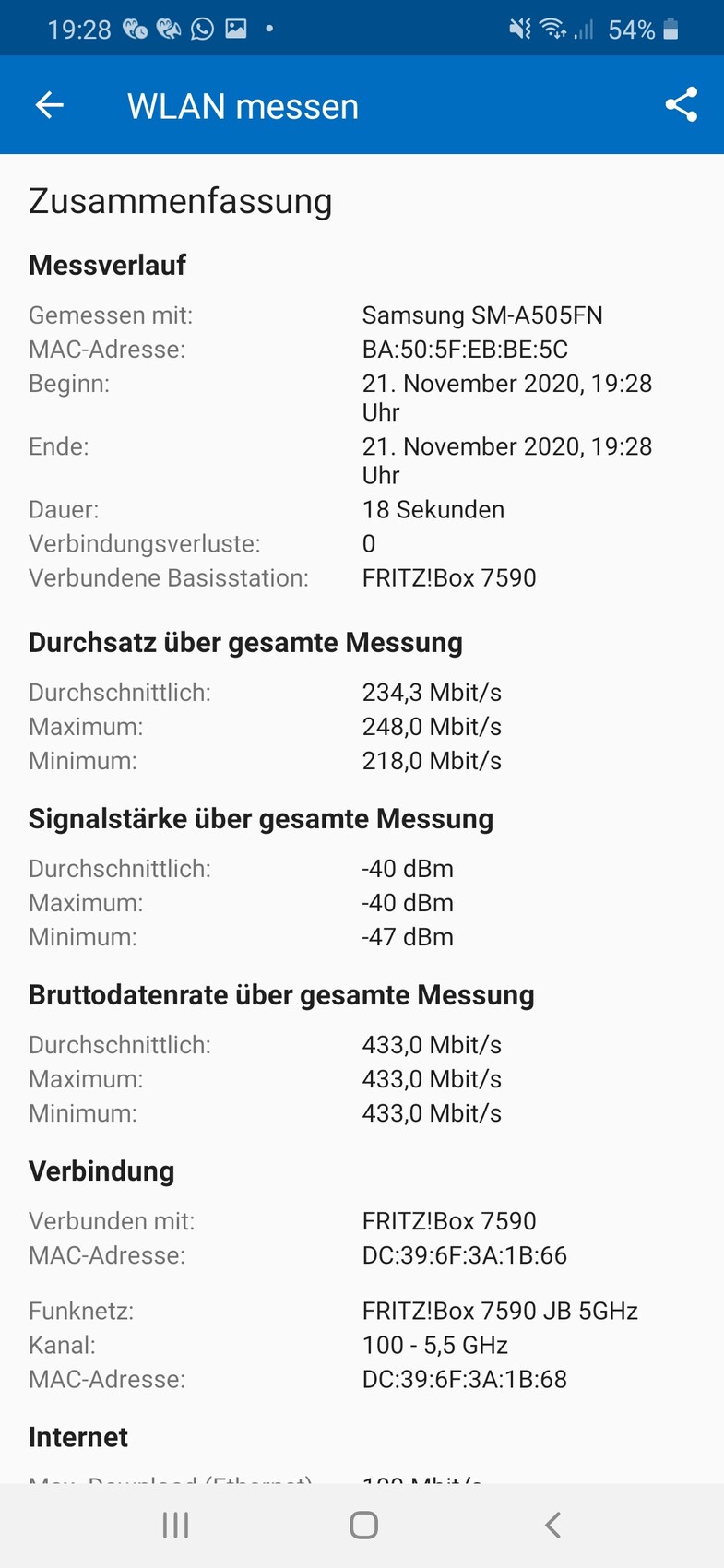
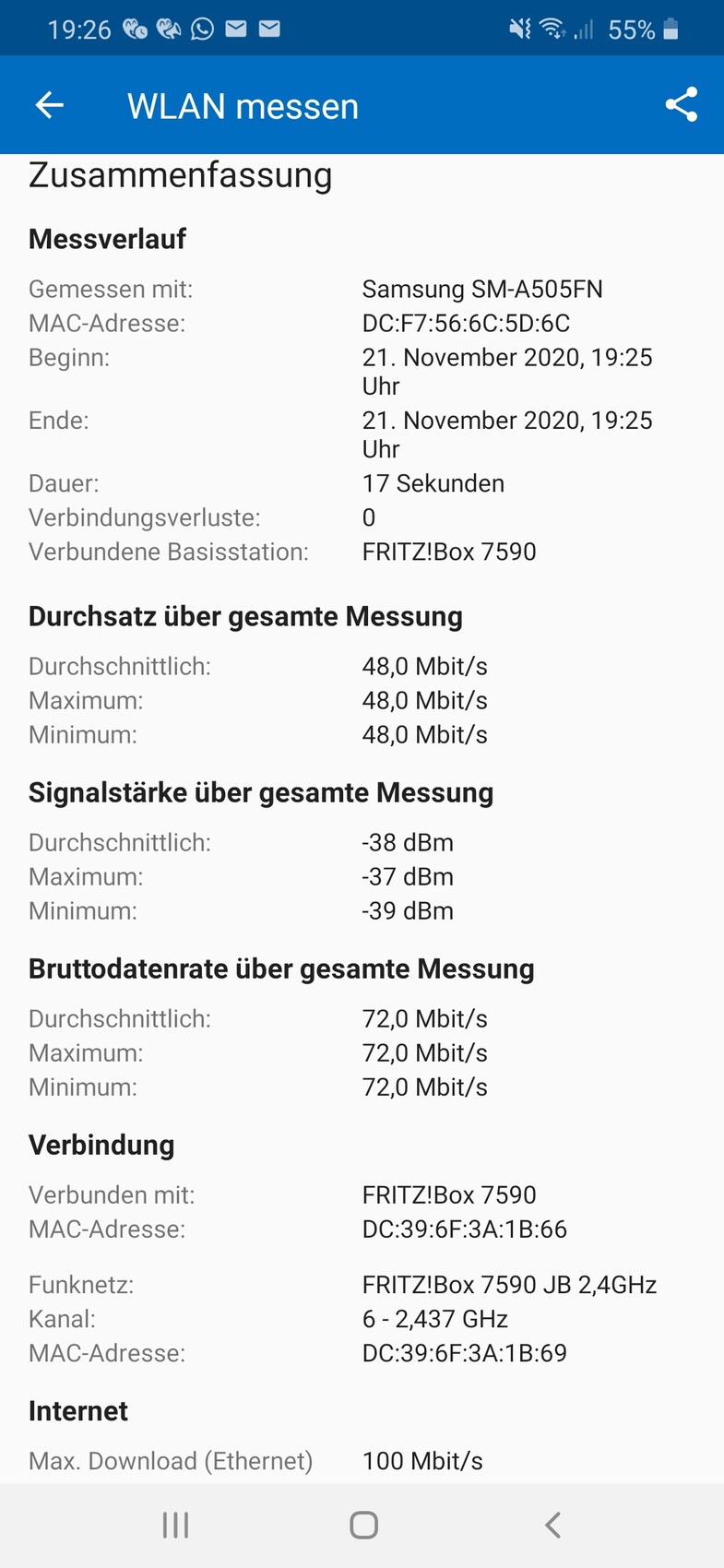
But a quick info: We ordered a VDSL 50 (Magenta M) from Telekom. That was enough for us before. If necessary, I can upgrade to a 100 Mbps line for 5 euros more per month.
I measured the Wi-Fi right in front of the box; once in the 2.4 GHz band and once in the 5 GHz band. The pictures are attached, as well as a photo of the router settings and our wall outlets.
Something seems to be set incorrectly on the router. The LAN connection is disabled. I can’t find any setting to change this. Therefore, I haven’t been able to test it yet. The FritzBox is connected to the fiber optic modem via network cable. That should be correct, right? What’s still missing is the connection between the sub-device and the switch.
Regarding my expectations for Wi-Fi performance: As a layperson, I assumed that fiber optic and a good router would cover our single-family home. In the living room, we have 2 to 3 out of 4 bars. 2 bars are already not ideal. The corners of the utility room and the living room touch each other (but there are 2 walls in between). I thought the living room would still have at least a steady 3 bars.
Am I right to think that I could also connect the router to a wall outlet in the living room if the modem, the sub-device, and the modem are wired first? That way, the router would be moved out of the electrical cabinet corner (interference signals).
N
nordanney21 Nov 2020 20:27Tx-25 schrieb:
As a layperson, I assumed that fiber optic and a good router would be enough to cover our single-family home. To clarify once more: fiber optic has nothing to do with Wi-Fi. Wi-Fi depends on the transmission power of the router, access point, etc., as well as the building structure.
If you only have a weak 50 Mbps line, even the best router cannot deliver higher speeds. It can only pass on 50 Mbps. And if there are walls between the router and the receiver, the signal may not reach at all.
Your measurement shows that nothing is lost along the way, but everything from the limited connection is passed on.
nordanney schrieb:
Once again: fiber optic has nothing to do with Wi-Fi. Wi-Fi depends on the transmission power of the router, access point, etc., as well as the building’s structural conditions.I’m not expressing myself well, but I am aware of the difference.Here in the rural area, having a 50 Mbps connection already puts us in the higher tier. Maybe we’ll upgrade to 100 Mbps at some point. I’ve been satisfied with 50 Mbps so far, even though only about 40 Mbps were actually delivered.
 bauenmk202021 Nov 2020 20:49
@nordanney
50 Mbps is by no means insufficient! We also have a 50 Mbps connection, and that is enough for many uses! You can always upgrade if needed. Also, the DSL/fiber internet speed has nothing to do with the Wi-Fi bandwidth of the router! As I understand it, the concern is about the signal strength.
50 Mbps is by no means insufficient! We also have a 50 Mbps connection, and that is enough for many uses! You can always upgrade if needed. Also, the DSL/fiber internet speed has nothing to do with the Wi-Fi bandwidth of the router! As I understand it, the concern is about the signal strength.
Similar topics