
ᐅ Poor Wi-Fi in a Newly Built Home Despite Fiber Optic Connection
Created on: 20 Nov 2020 22:31
T
Tx-25
Hello. Today, after 6 months, we finally got internet in our new build. I set up the fiber optic connection on the FritzBox 7590 router. For that, I reset the router to factory settings and configured it according to the fiber installation guide. Then I updated it to the latest version. Somehow, the Wi-Fi isn’t as fast as expected. What could be the reason? The router is located in the utility room (ground floor corner) on a cabinet. Our living room is in the opposite corner on the ground floor. There, we have 3 out of 4 bars, sometimes even less. The speed is not particularly good either.
In the upstairs bathroom (directly above the utility room), the connection is practically non-existent. If I go to the upstairs hallway, I get 3 bars. Shouldn’t the signal actually be stronger throughout, even without a repeater?
The fiber modem and the FritzBox are connected by an Ethernet cable I already had. Should this cable be upgraded? Are there any other tips?
The switch for the LAN outlets isn’t connected yet. I still need to order it and install the wiring.
In the upstairs bathroom (directly above the utility room), the connection is practically non-existent. If I go to the upstairs hallway, I get 3 bars. Shouldn’t the signal actually be stronger throughout, even without a repeater?
The fiber modem and the FritzBox are connected by an Ethernet cable I already had. Should this cable be upgraded? Are there any other tips?
The switch for the LAN outlets isn’t connected yet. I still need to order it and install the wiring.
 untergasse4322 Nov 2020 11:33
It’s interesting how almost every technical term is mixed up here. As others have already said, "good Wi-Fi" has nothing to do with the bandwidth of the internet connection itself. Wi-Fi bandwidth or bandwidth in general is not measured using a smartphone connected to random internet servers, where you have no information about their connection or routing. This kind of testing is done, for example, with tools like iperf and different client devices (considering antenna number and characteristics) at the locations where you have problems, within your own network. You also check the wireless environment: Are there any interferers, is there signal overlap, have the neighbors perhaps filled their house with 25 faulty Wi-Fi thermostats, etc. THEN you can see what you can do about it. Anything else is pure speculation that, combined with the lack of knowledge here, will probably only lead to unnecessary expenses.
Moreover, building construction with wooden stud walls and large amounts of drywall is harmful to radio waves in this frequency range. If you add interference and signal cancellations on top of that, it’s game over. But hey, why bother with running cables? Everything is Wi-Fi nowadays! I don’t know how many times I’ve read that here.
Just take a look at what’s going on in the spectrum first, then you can start optimizing.
Moreover, building construction with wooden stud walls and large amounts of drywall is harmful to radio waves in this frequency range. If you add interference and signal cancellations on top of that, it’s game over. But hey, why bother with running cables? Everything is Wi-Fi nowadays! I don’t know how many times I’ve read that here.
Just take a look at what’s going on in the spectrum first, then you can start optimizing.
T_im_Norden schrieb:
Please upload a photo of the installation.
Which port did you connect the fiber optic modem to? The modem only has one port (blue). I connected that to the "WON (blue)" port on the FritzBox.
The yellow cable goes to my laptop.
The corner of the installation still needs to be tidied up.

I’m curious about the ping times. This at least gives some indication about the "fiber optic" connection.
For example, with our FTTH connection, the ping is between 2ms and 3ms, measured using a broadband test by the regulatory authority. Our neighbor, with a copper line, has about ten times that. (Despite super vectoring and a “blink-and-you-miss-it” impressive 300Mbps telecom line.)
Nevertheless, the Wi-Fi signal inside the house has nothing to do with this. As several people have already mentioned, it’s important to plan enough network sockets for access points in advance, which can be added later if needed. Concrete ceilings absorb a lot of signal—similarly mirrors, masonry, etc. Wooden ceilings are still the best in this regard.
For example, with our FTTH connection, the ping is between 2ms and 3ms, measured using a broadband test by the regulatory authority. Our neighbor, with a copper line, has about ten times that. (Despite super vectoring and a “blink-and-you-miss-it” impressive 300Mbps telecom line.)
Nevertheless, the Wi-Fi signal inside the house has nothing to do with this. As several people have already mentioned, it’s important to plan enough network sockets for access points in advance, which can be added later if needed. Concrete ceilings absorb a lot of signal—similarly mirrors, masonry, etc. Wooden ceilings are still the best in this regard.
Attached are the measured ping values (measured via Wi-Fi in the browser).
Measurements were taken once from the sofa, then in the utility room where the router is placed on top of the cabinet directly in the corner of the electrical panel, and once more with the highest values where the router is positioned halfway up the room. There is now a cabinet between the router and the electrical panel.
I have ordered a 2400 repeater.
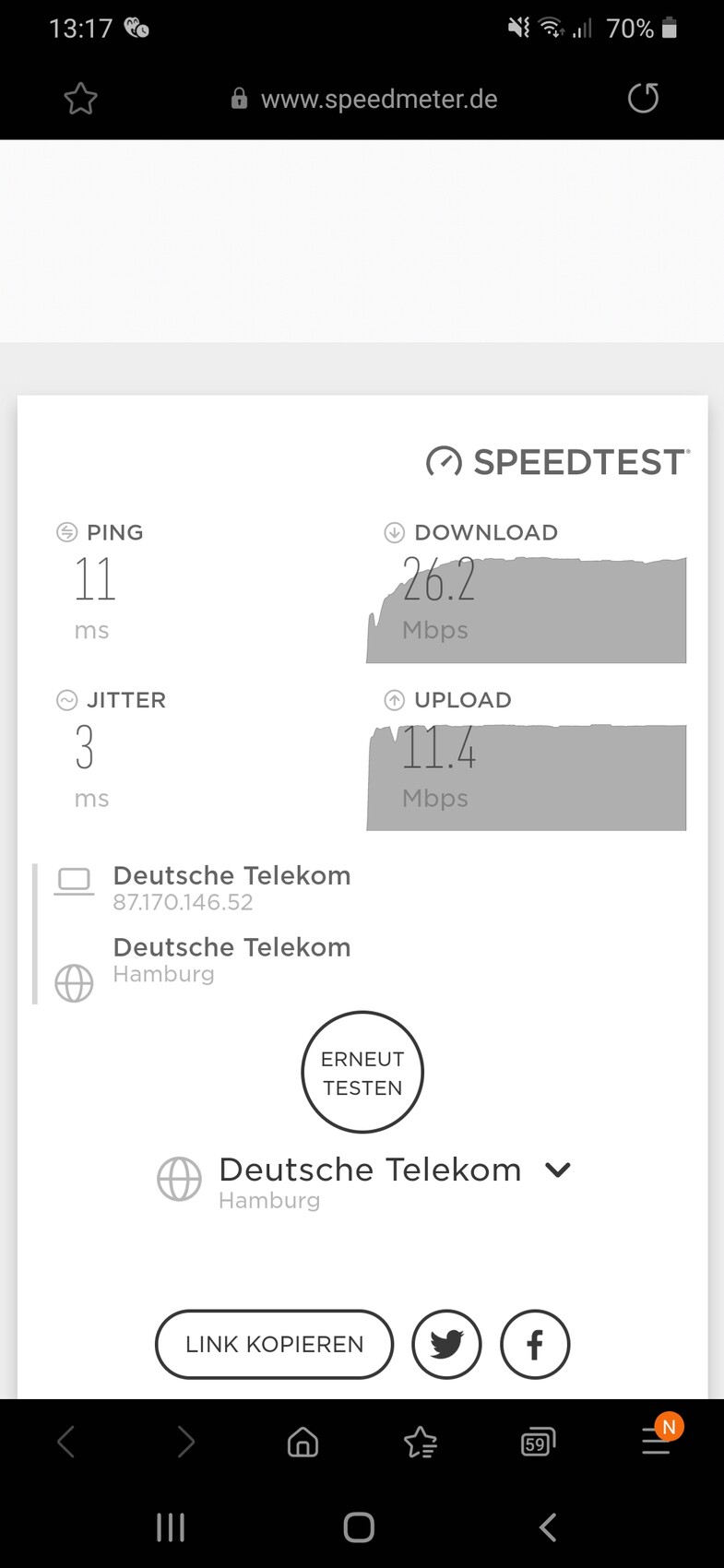
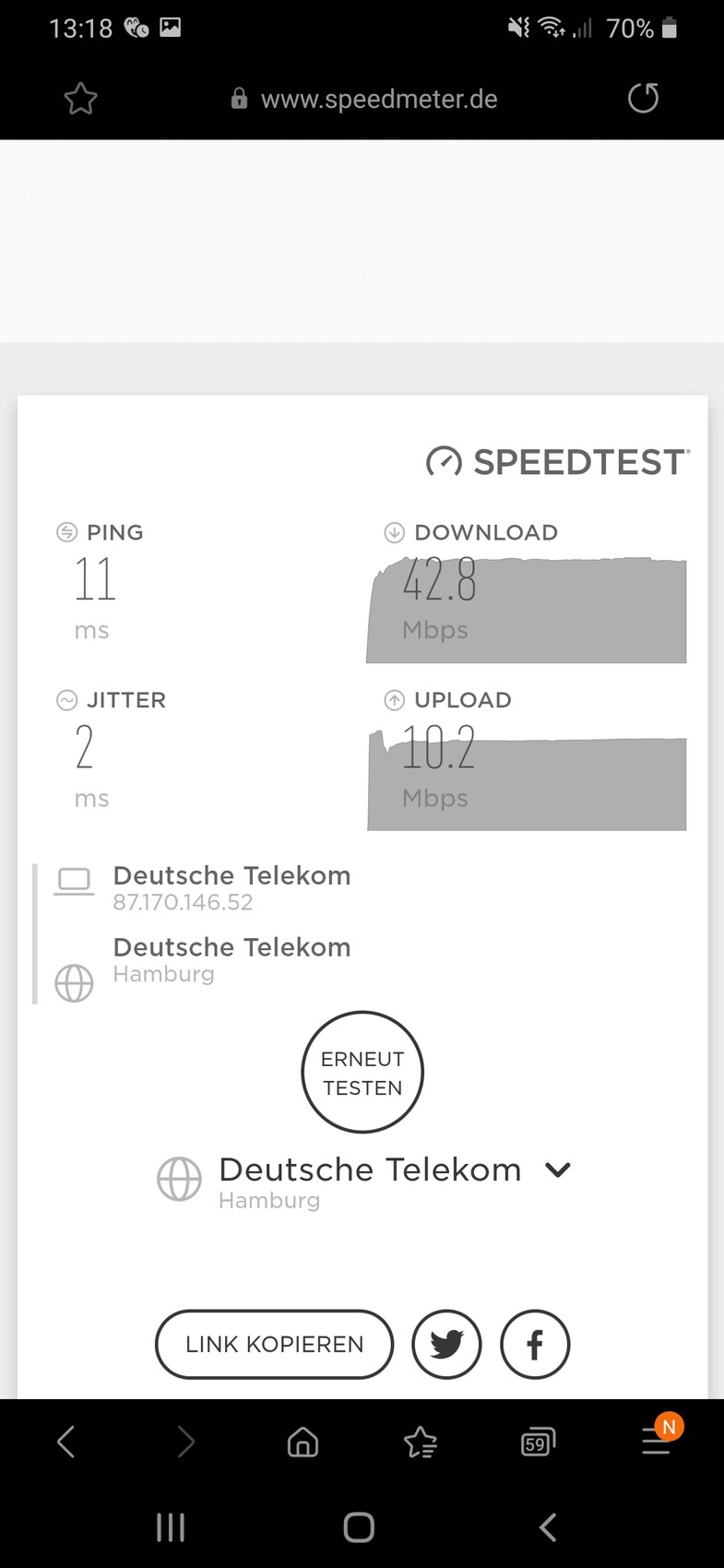
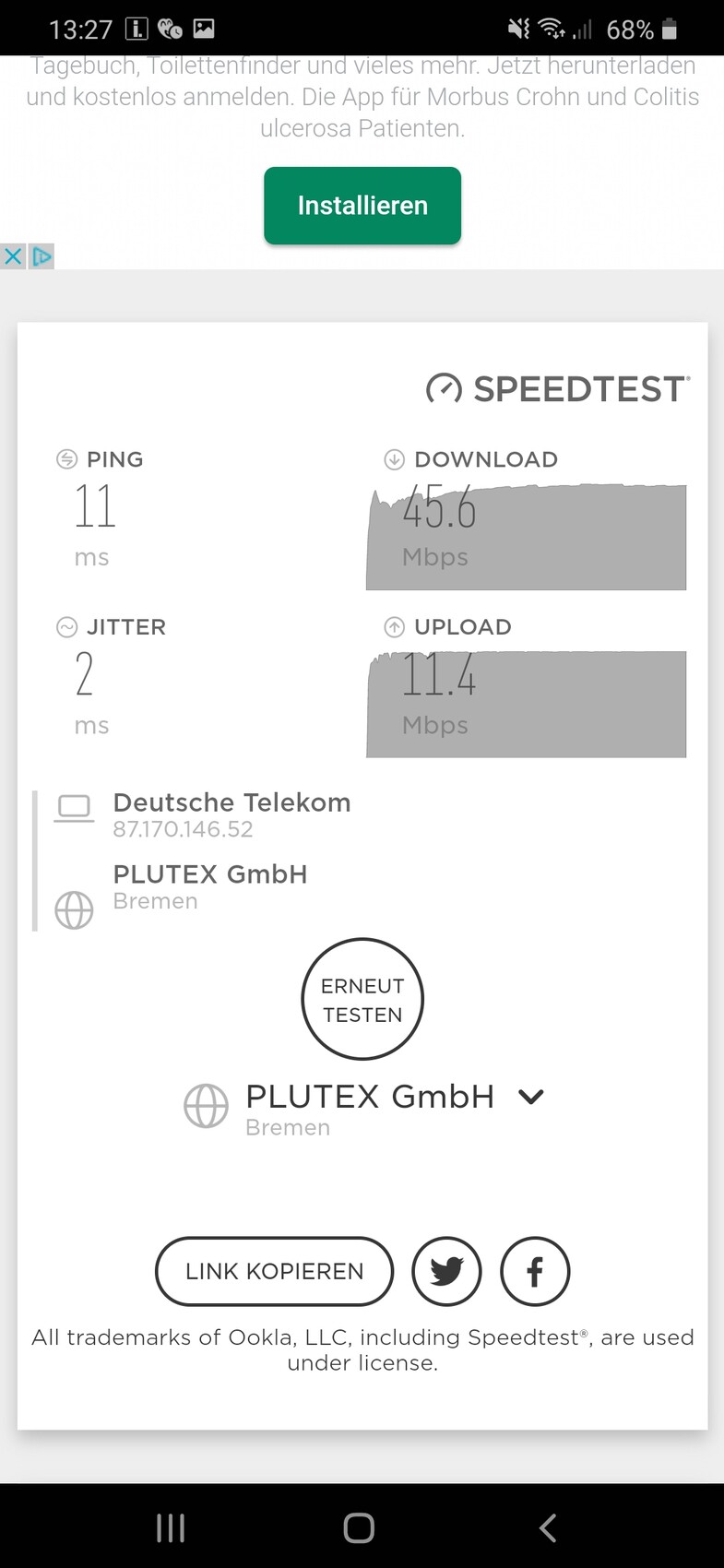
Measurements were taken once from the sofa, then in the utility room where the router is placed on top of the cabinet directly in the corner of the electrical panel, and once more with the highest values where the router is positioned halfway up the room. There is now a cabinet between the router and the electrical panel.
I have ordered a 2400 repeater.
T
T_im_Norden22 Nov 2020 14:00Ping is okay.
You lose about half on the download.
Then use the 2600 as an access point, not as a repeater.
You lose about half on the download.
Then use the 2600 as an access point, not as a repeater.
T_im_Norden schrieb:
You lose about half on the download speed. What does that mean?
Do I need to change anything in the wiring? I switched to WAN because of the modem. LAN is therefore disabled in the router. As a result, the laptop only has a Wi-Fi connection even though there is an Ethernet cable between the Fritzbox and the laptop.
Similar topics