
Hello everyone,
I am considering using/acquiring a managed switch for the future home network.
In my opinion, it should meet all necessary requirements: Layer 3, routing, IGMPv3, VLAN without a router...
Does anyone have experience with this device or any other comments?
Best regards
I am considering using/acquiring a managed switch for the future home network.
In my opinion, it should meet all necessary requirements: Layer 3, routing, IGMPv3, VLAN without a router...
Does anyone have experience with this device or any other comments?
Best regards
Hello,
here are a few screenshots of the switch interfaces, the router (USG), and the controller software, which is running on a separate server in my setup.
Routing and network creation are managed entirely by zones through the controller software.
You can find some configuration options in the screenshots.
I assigned the USG to my zone.
On the USG itself, you only set up the WAN connection; here you must use VLAN ID 7 if you have a fiber-to-the-home (FTTH) connection from Telekom.
On the switch, you then configure VLAN tagging for the networks you created in the controller software.
Since I only use Ubiquiti products, everything works perfectly with the controller software. I’m not sure how well it works with third-party devices.
There is also a very good German-speaking Ubiquiti community—just search for "Ubiquiti Forum" on Google. The official Ubiquiti support is also very good but entirely in English.
Once, I had to ask for several hours of assistance after a firmware update corrupted large parts of my configuration. It seems Ubiquiti still has some catching up to do; in my experience, updates are not always trouble-free.
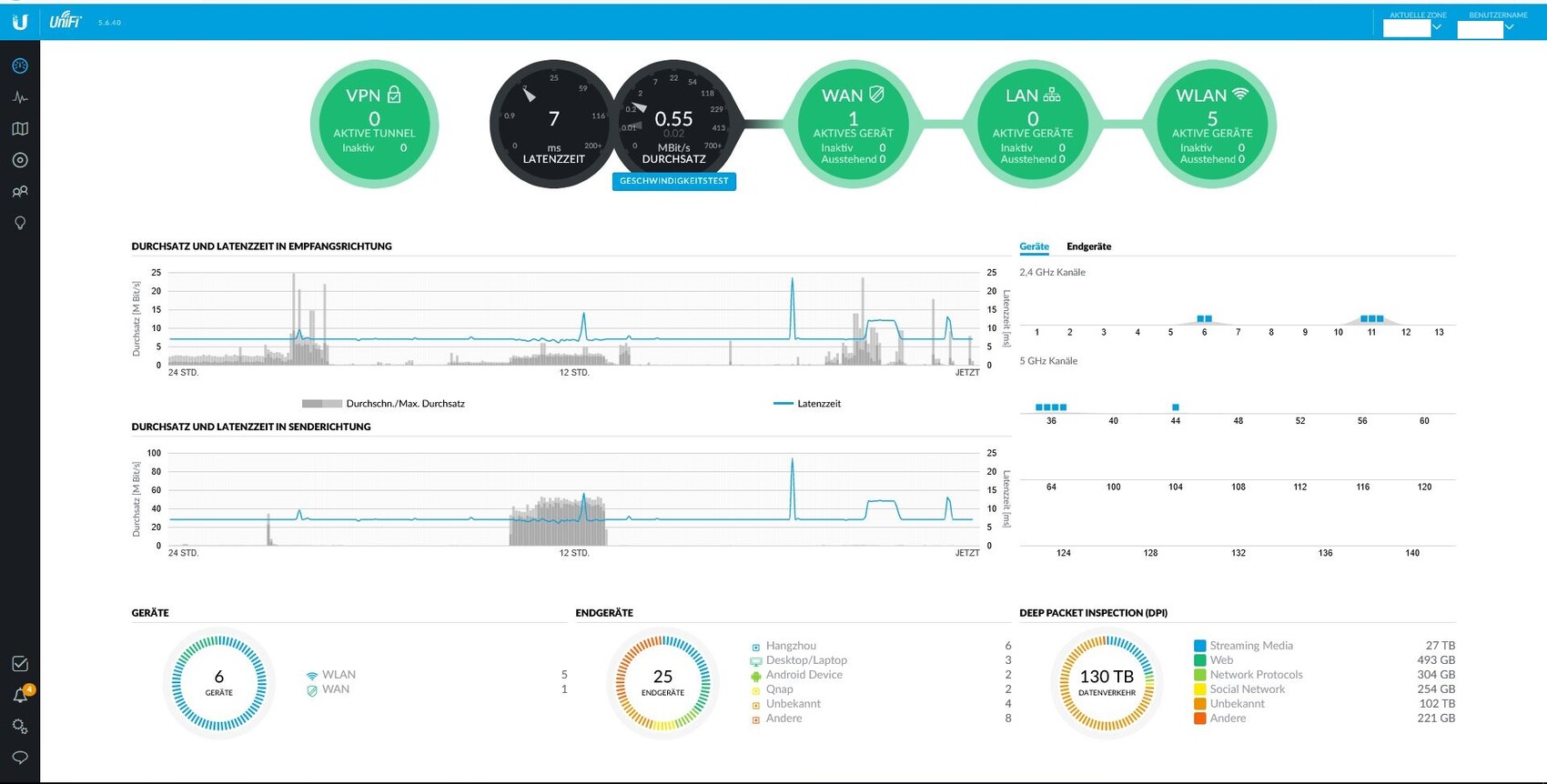

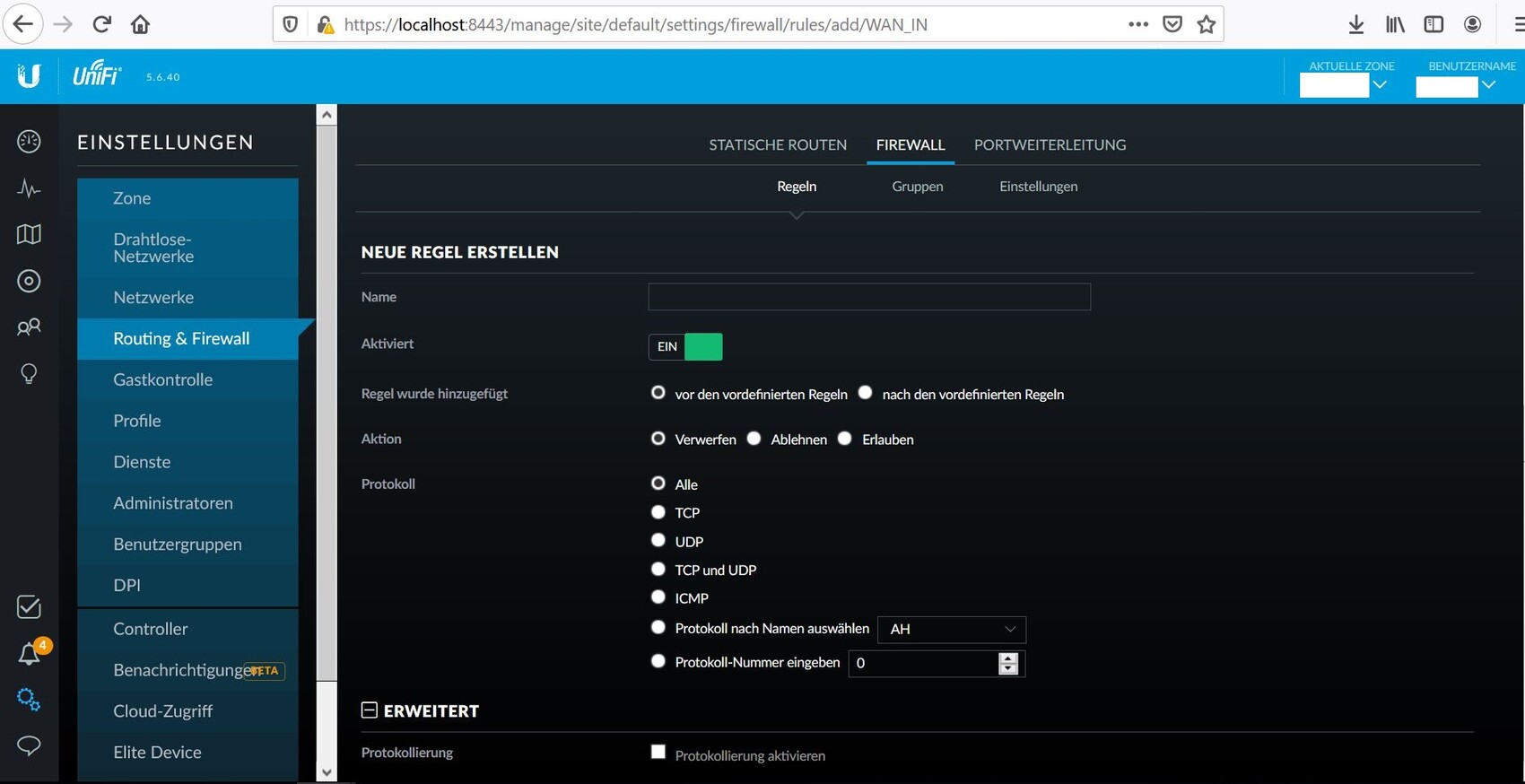
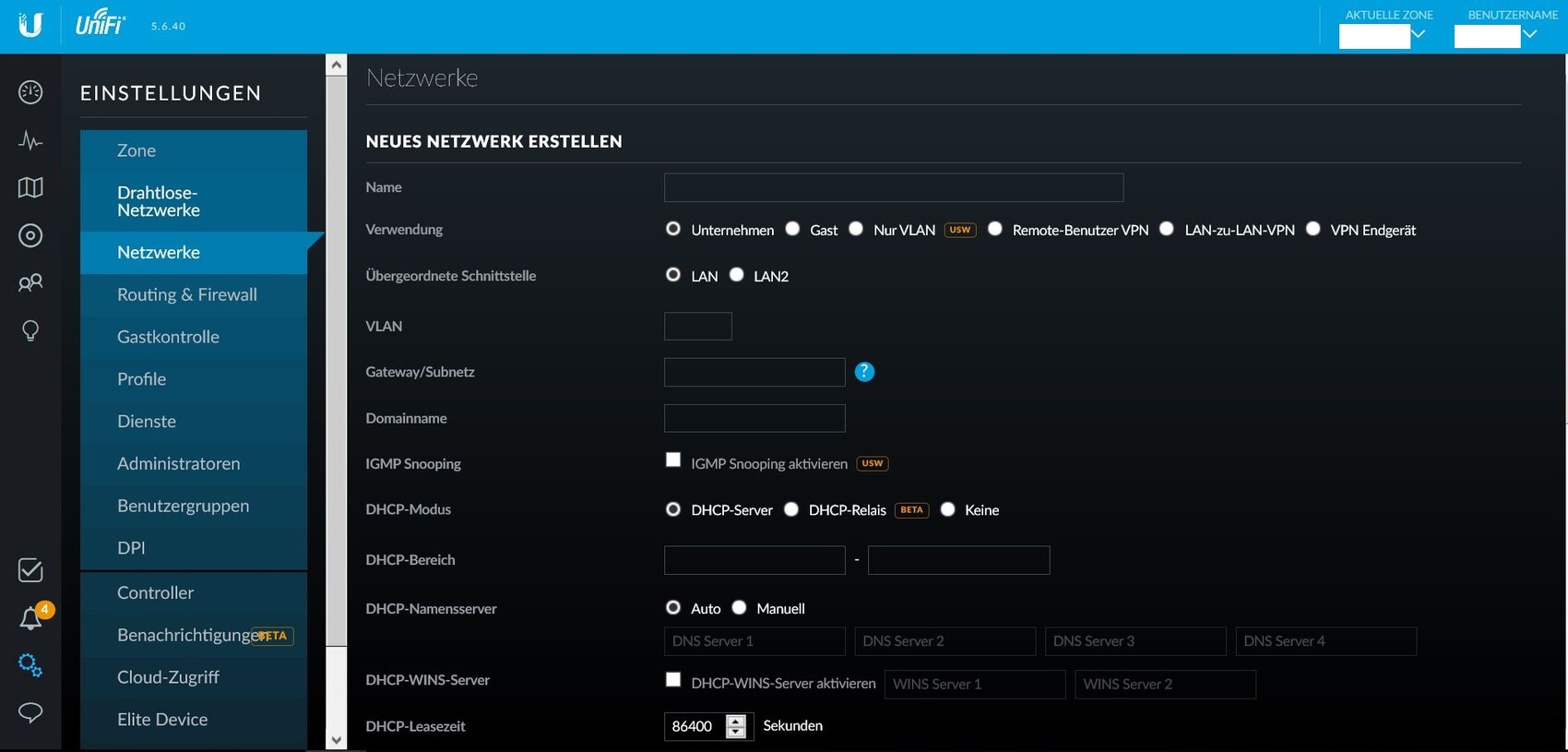
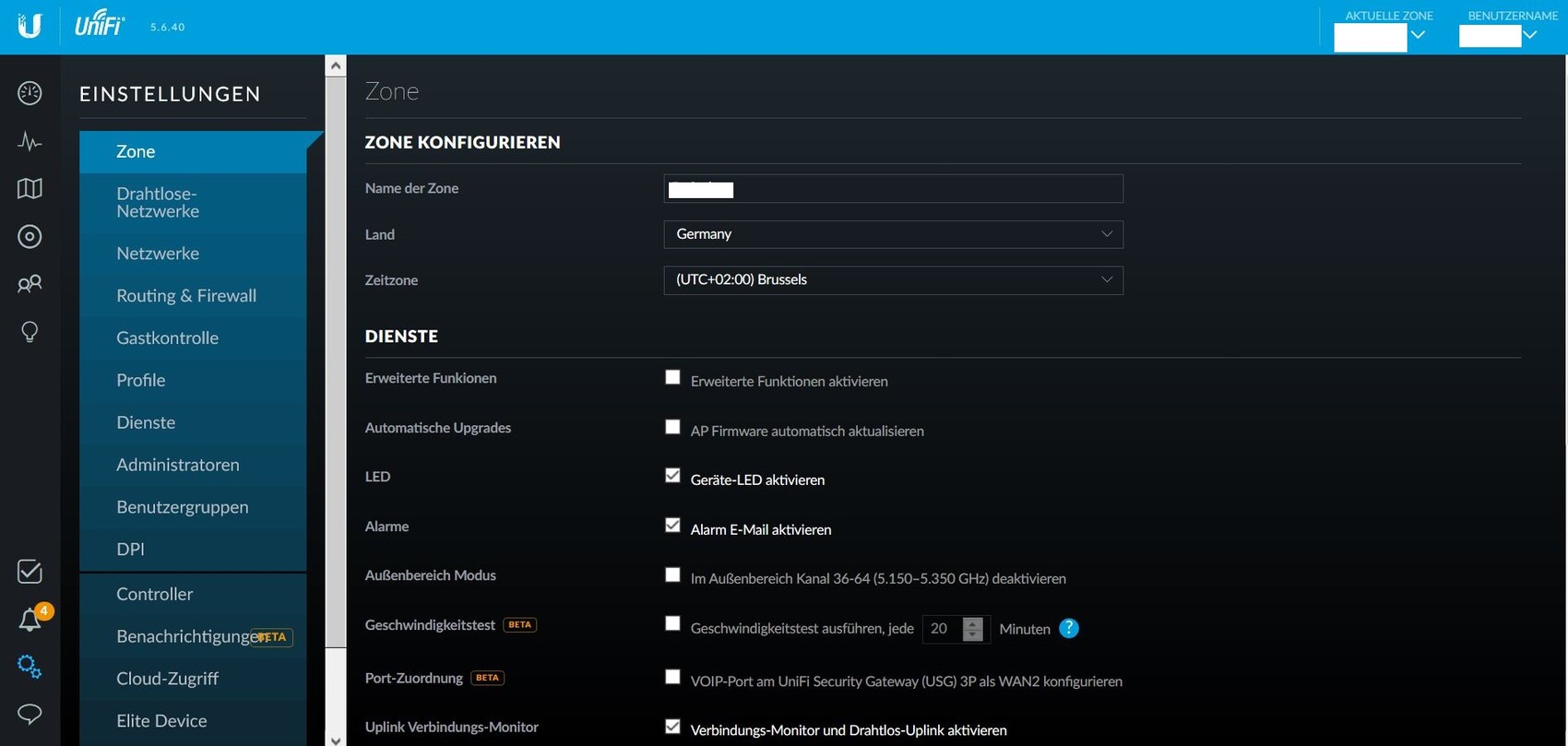
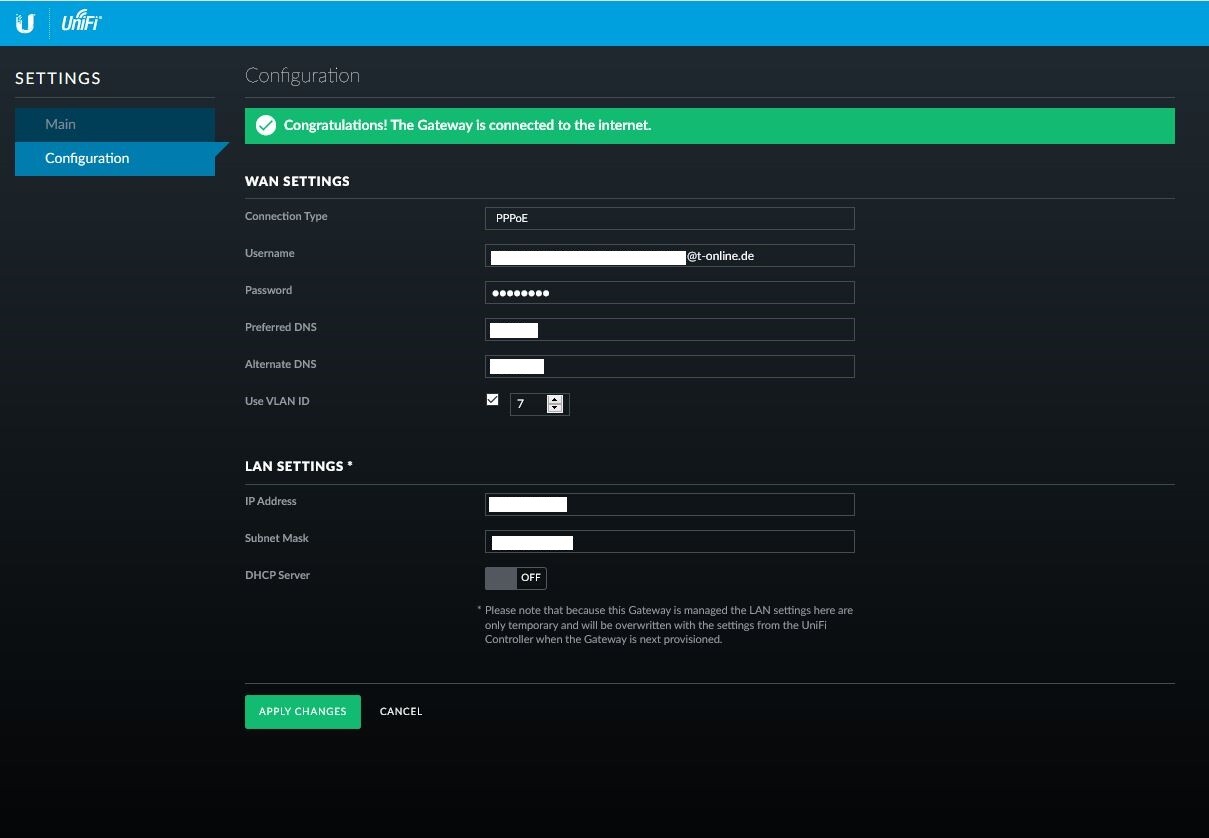
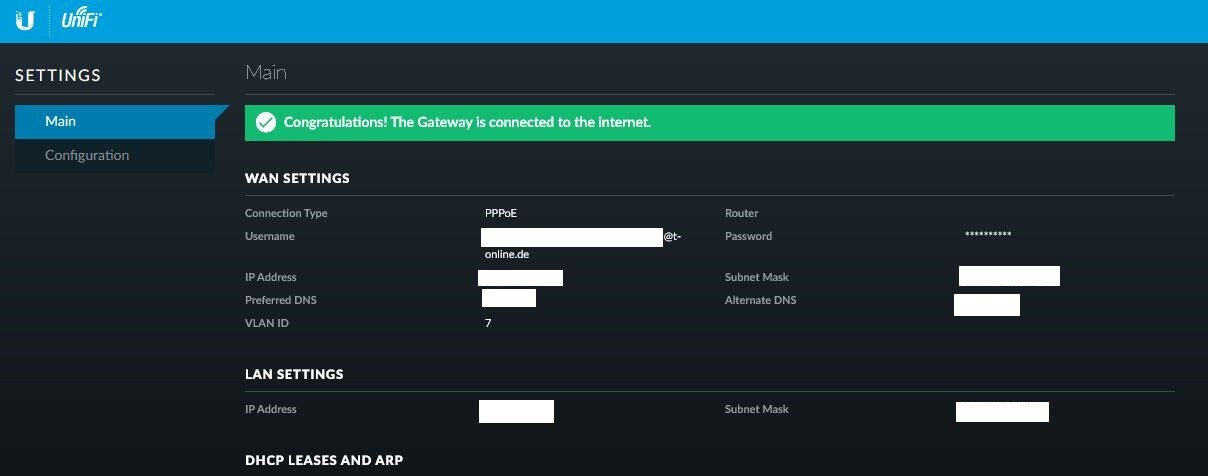
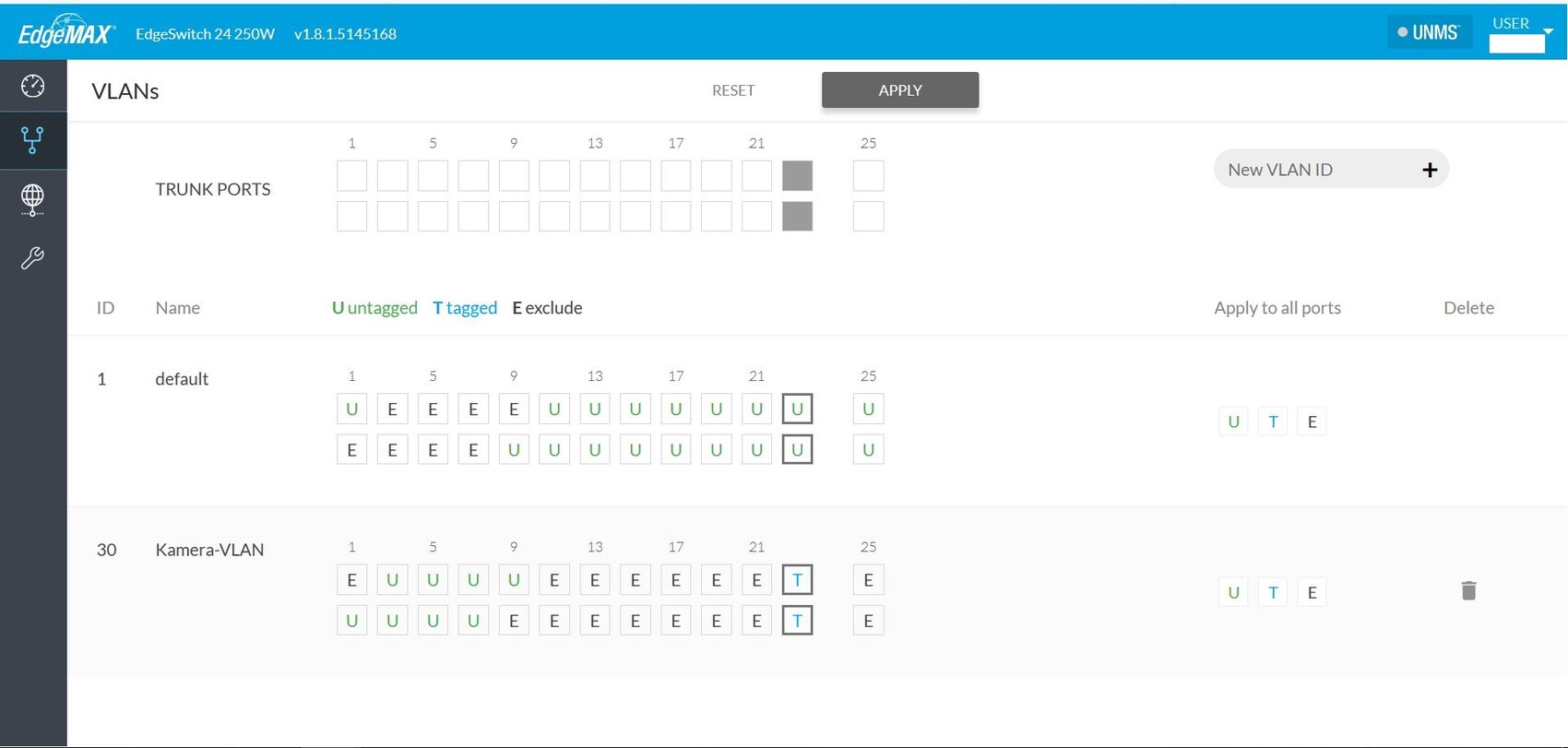
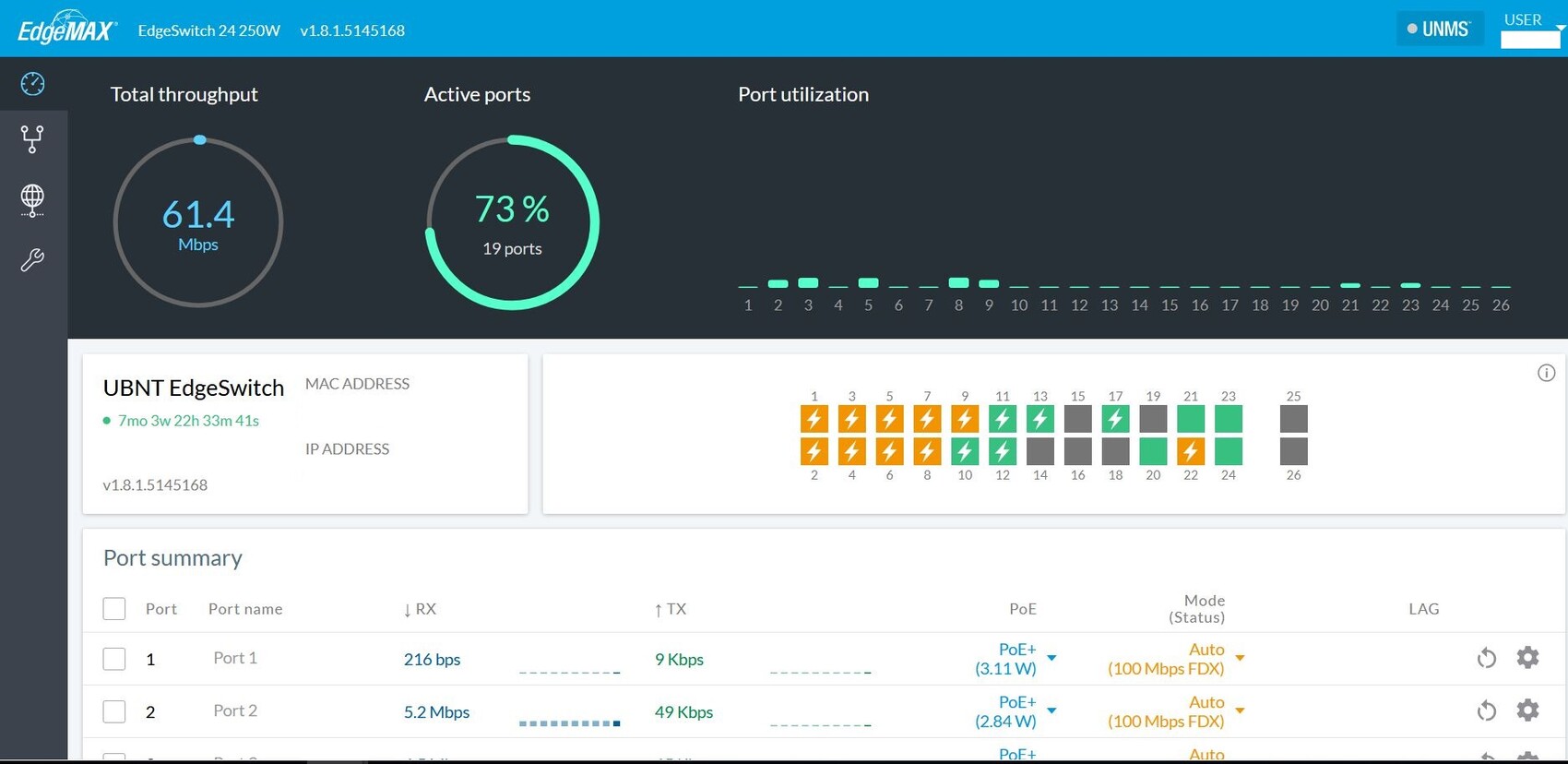
here are a few screenshots of the switch interfaces, the router (USG), and the controller software, which is running on a separate server in my setup.
Routing and network creation are managed entirely by zones through the controller software.
You can find some configuration options in the screenshots.
I assigned the USG to my zone.
On the USG itself, you only set up the WAN connection; here you must use VLAN ID 7 if you have a fiber-to-the-home (FTTH) connection from Telekom.
On the switch, you then configure VLAN tagging for the networks you created in the controller software.
Since I only use Ubiquiti products, everything works perfectly with the controller software. I’m not sure how well it works with third-party devices.
There is also a very good German-speaking Ubiquiti community—just search for "Ubiquiti Forum" on Google. The official Ubiquiti support is also very good but entirely in English.
Once, I had to ask for several hours of assistance after a firmware update corrupted large parts of my configuration. It seems Ubiquiti still has some catching up to do; in my experience, updates are not always trouble-free.
The small USG has been around at Ubiquiti for quite some time with outdated hardware, tends to get very hot, and generally doesn’t offer the same freedom you get with Sophos, OPNsense, etc. With fast WAN connections, the USG can become a bottleneck depending on the enabled features. For this reason, I would currently not recommend using the small USG.
Of course, the advantage is managing everything through a single management interface.
Edge Switches and Routers are not managed through the UniFi Controller. They have a separate management system. So, there is UniFi and Edge, each with a different interface. This doesn’t mean one is bad—just a heads-up that they are two separate solutions.
Of course, the advantage is managing everything through a single management interface.
Edge Switches and Routers are not managed through the UniFi Controller. They have a separate management system. So, there is UniFi and Edge, each with a different interface. This doesn’t mean one is bad—just a heads-up that they are two separate solutions.
dhd82 schrieb:
A brief update: I’m using the USG-Pro-4 and so far I haven’t noticed any issues with heat buildup or performance limitations.
So I assume Teemoe86 was referring to the smaller USG, the “Ubiquiti USG.” Yes, exactly, by "smaller" I meant that one. As far as I know, the “larger” one received a refresh.
I believe I remember that the “UniFi switch” doesn’t support imgpv3, while the EdgeSwitches might, along with Layer 3 routing. But it’s best to look up the information yourself.
There are also the Edge Routers… However, with these you definitely need to manually adjust firewall settings, adding rules for the IPs of the IPTV provider → IPTV box. The router does not seem to detect this automatically. Other firmware can have similar issues, for example with Magenta TV.
K
knalltüte28 Jun 2020 14:12I have already stated that I would personally solve this differently. However, that might not really interest the original poster. And: There are many ways to achieve the same goal.
Since IT knowledge is available (even if from a different field) and the relevant technical terms have at least been heard and apparently understood, the only thing missing is their implementation.
All the usual buzzwords like CMS or Best Practice / ITIL don’t quite fit a nerdy private project. It’s also fine to follow your playful instincts, as long as you don’t lose sight of the actual objectives.
I like it when “clicky-colorful / Windows Server administrators” (and this is certainly not meant in a derogatory way, as I would largely categorize myself that way!) have deeper network knowledge. That often makes communication between different IT departments much easier and can only benefit you professionally.
Therefore, and also because the financial investment and thus the risk of a total loss are low: just go ahead and use the switch you have chosen yourself.
Since IT knowledge is available (even if from a different field) and the relevant technical terms have at least been heard and apparently understood, the only thing missing is their implementation.
All the usual buzzwords like CMS or Best Practice / ITIL don’t quite fit a nerdy private project. It’s also fine to follow your playful instincts, as long as you don’t lose sight of the actual objectives.
I like it when “clicky-colorful / Windows Server administrators” (and this is certainly not meant in a derogatory way, as I would largely categorize myself that way!) have deeper network knowledge. That often makes communication between different IT departments much easier and can only benefit you professionally.
Therefore, and also because the financial investment and thus the risk of a total loss are low: just go ahead and use the switch you have chosen yourself.
Similar topics