
ᐅ Flush-mounted SAT socket: Modem not working. Frequency filter?
Created on: 6 Jun 2016 08:39
B
bluminger
Hello.
We have purchased a flush-mounted satellite socket[1]. The coaxial cable comes up from the basement to the next floor and then connects to this socket, where the cable modem is plugged in from the outside.
If we manually connect the cable from the basement directly to the modem cable, it works. However, it does not work when going through the socket. We tested two sockets, and neither worked.
Is it possible that there is a frequency filter inside that only allows TV frequencies to pass, but not the spectrum needed for the cable modem?
If so, what kind of socket would we need?
Thank you very much!
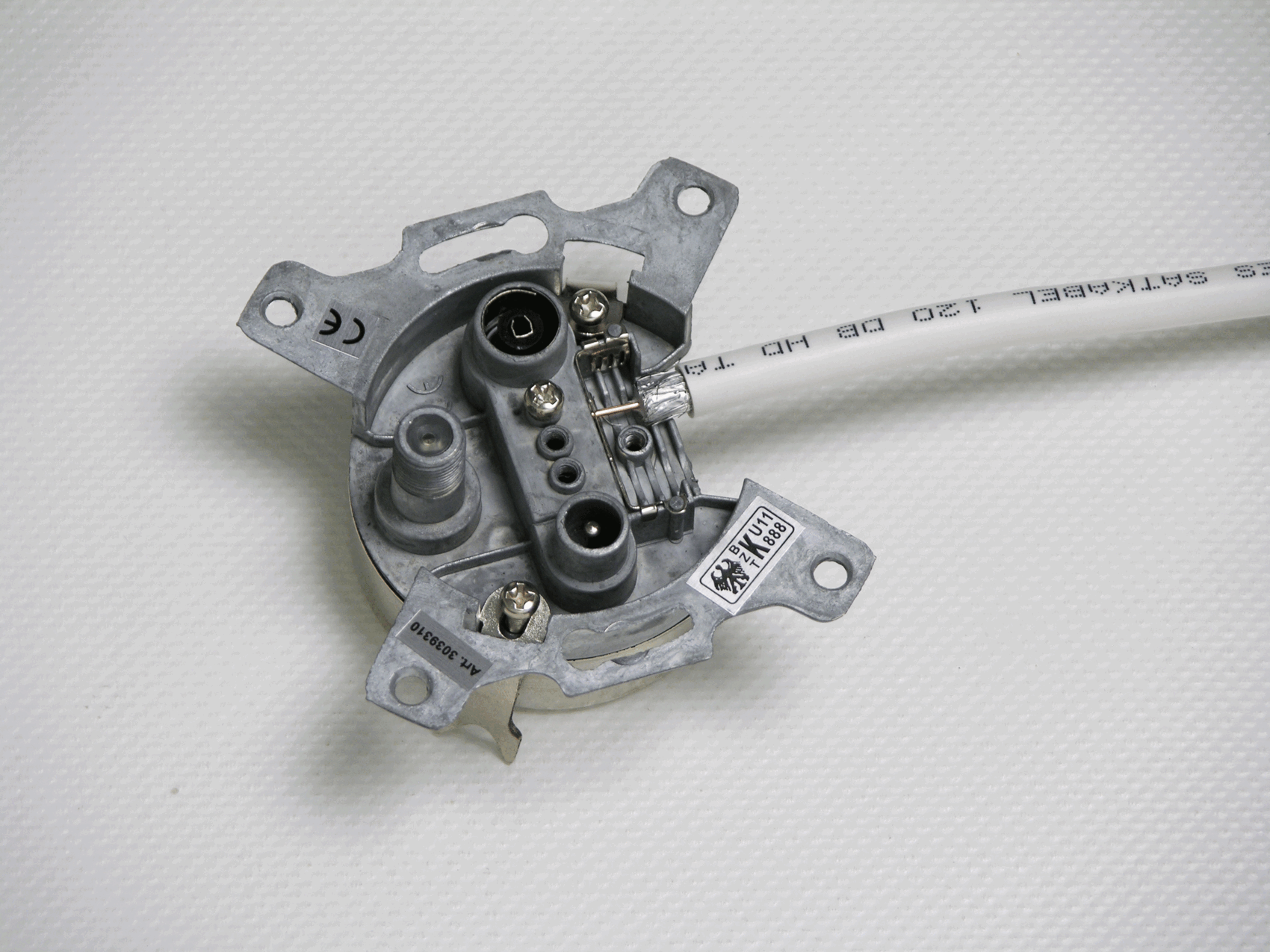
We have purchased a flush-mounted satellite socket[1]. The coaxial cable comes up from the basement to the next floor and then connects to this socket, where the cable modem is plugged in from the outside.
If we manually connect the cable from the basement directly to the modem cable, it works. However, it does not work when going through the socket. We tested two sockets, and neither worked.
Is it possible that there is a frequency filter inside that only allows TV frequencies to pass, but not the spectrum needed for the cable modem?
If so, what kind of socket would we need?
Thank you very much!
First: Are you sure that you plugged the cable into the correct connector?
Second: The cable network is a very large-scale network (your neighbors are connected to it as well) and therefore must be properly configured so that everyone receives sufficient signal strength. For this purpose, there are attenuators in the cable outlets (both for the connection and for distribution). These can be calculated, but you must not simply add any outlet in between. If the neighbor no longer receives a signal because you installed an additional outlet, there will be trouble. Most cable providers also prohibit installing outlets yourself. Get a professional involved; otherwise, it probably won’t work.
Second: The cable network is a very large-scale network (your neighbors are connected to it as well) and therefore must be properly configured so that everyone receives sufficient signal strength. For this purpose, there are attenuators in the cable outlets (both for the connection and for distribution). These can be calculated, but you must not simply add any outlet in between. If the neighbor no longer receives a signal because you installed an additional outlet, there will be trouble. Most cable providers also prohibit installing outlets yourself. Get a professional involved; otherwise, it probably won’t work.
N
nordanney6 Jun 2016 09:54Who configured the cable connection for you? Normally, the cable network operator comes out to do that.
Looking at our connection, I would have my doubts about how a layperson could correctly connect the right cable to the proper port – there are so many options to choose from.
Looking at our connection, I would have my doubts about how a layperson could correctly connect the right cable to the proper port – there are so many options to choose from.
The modem was previously located in the basement. We simply replaced the cable that used to connect to the modem in the basement with a 12-meter (39 feet) long cable and routed it one floor up.
This way, the modem still works on the upper floor. However, since it doesn’t look very neat when the cable just comes out of the wall, it should be properly installed through a socket. The correct signal will definitely enter the socket, but it won’t come out again.
This way, the modem still works on the upper floor. However, since it doesn’t look very neat when the cable just comes out of the wall, it should be properly installed through a socket. The correct signal will definitely enter the socket, but it won’t come out again.
Similar topics