
 untergasse4316 Jul 2020 11:22
I would like to document the construction of our new house with a time-lapse video. We already have a house right next door, so finding a location for the camera including a permanent power supply and LAN/internet connection is not a problem (there is also a garden shed directly on the new building site). All equipment except the camera itself would be kept warm and dry.
It is a traditional solid construction over several months, not a prefabricated house that can be built in two days. Therefore, I would prefer a solution that can be paused occasionally if no significant progress is expected (remotely controllable?). In theory, I plan to record on weekdays between 7 a.m. and 8 p.m., excluding weekends. If I generously estimate 40 weeks with 5 days each and 13 hours per day, and take a photo every 5 minutes and finally compile 25 frames per second, I would end up with a video lasting just under 20 minutes. Of course, this is highly variable and probably overestimated due to breaks on site. Ten minutes would be a nice final length.
Now the question about the technology and software... I have several Raspberry Pi 3B+ units, an older Synology DS213 NAS, various outdoor IP cameras from Hikvision and Axis, and some external USB SSD drives unused. Is it possible to create something useful from this? I wouldn’t be opposed to purchasing more hardware if it is worthwhile. I’m also searching online, but so far haven’t found the perfect solution.
We would of course inform the construction companies and obtain their approval. Other neighbors or public streets would not be included in the recording. So the legal situation is clear, and we don’t necessarily need to discuss that here.
Has anyone here done something like this or have ideas? @Mycraft, @rick2018, @superzapp?
It is a traditional solid construction over several months, not a prefabricated house that can be built in two days. Therefore, I would prefer a solution that can be paused occasionally if no significant progress is expected (remotely controllable?). In theory, I plan to record on weekdays between 7 a.m. and 8 p.m., excluding weekends. If I generously estimate 40 weeks with 5 days each and 13 hours per day, and take a photo every 5 minutes and finally compile 25 frames per second, I would end up with a video lasting just under 20 minutes. Of course, this is highly variable and probably overestimated due to breaks on site. Ten minutes would be a nice final length.
Now the question about the technology and software... I have several Raspberry Pi 3B+ units, an older Synology DS213 NAS, various outdoor IP cameras from Hikvision and Axis, and some external USB SSD drives unused. Is it possible to create something useful from this? I wouldn’t be opposed to purchasing more hardware if it is worthwhile. I’m also searching online, but so far haven’t found the perfect solution.
We would of course inform the construction companies and obtain their approval. Other neighbors or public streets would not be included in the recording. So the legal situation is clear, and we don’t necessarily need to discuss that here.
Has anyone here done something like this or have ideas? @Mycraft, @rick2018, @superzapp?
untergasse4316 Jul 2020 11:37Lumpi_LE schrieb:
But: you’re actually not allowed to – every tradesperson, supplier, and other worker must give you written consent, and so on. Thanks for the information. Since I’m aware of that and don’t want to start this discussion, I even emphasized that part in my post.
MayrCh schrieb:
IP camera (possibly connected via Raspberry Pi) to Synology’s Surveillance Station. Done. Can Surveillance Station record at intervals and based on time of day out of the box? I’ll have to check that in the coming days. Do you have a software recommendation for the Raspberry Pi? In the Hikvision menu, I found interval-based recording, but it would just continuously upload an image to the NAS every 5 minutes, for example. There don’t seem to be any scheduling options. You’d have to filter that afterward.
untergasse43 schrieb:
Does the Surveillance Station support such intervals and time-of-day dependent recordings by default? Yes. It is quite powerful.
untergasse43 schrieb:
Do you have any software recommendations for the Raspberry Pi? You only need it if your IP/USB cameras are not compatible with the Surveillance Station, or if you want to connect multiple cameras, possibly via Wi-Fi, to the Surveillance Station. Out of the box, motionEyeOS is a good solution. It can replace or supplement functions of the Surveillance Station.
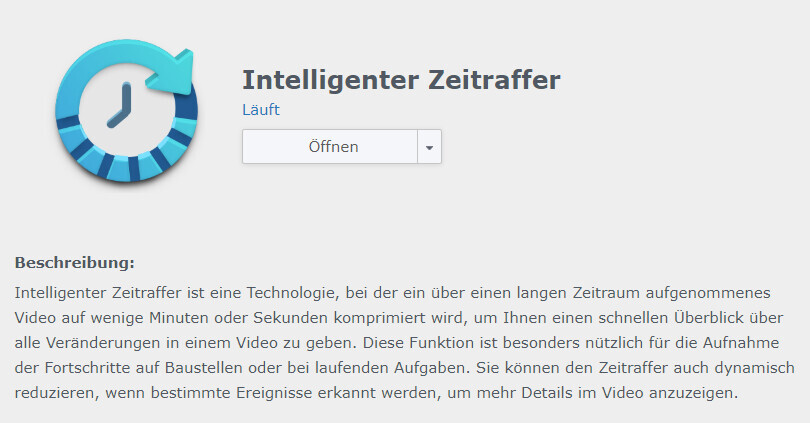
untergasse4316 Jul 2020 11:54I just set this up and tried it out. There is even a plugin for the Synology Surveillance Station called "Smart Timelapse." It does exactly what I wanted, including scheduled recording based on the calendar and automatic video creation.
That was quick, but maybe it will help others as well
That was quick, but maybe it will help others as well
Similar topics