
Hello everyone,
Slowly but surely, we are getting closer to moving in.
In about 4-6 weeks, we will most likely move into our new build.
For this reason, I am gradually starting to think about the technology in my house so that I have all the necessary information in time and everything works properly.
We built with a basement — so the utility room is located in the basement.
--> Fiber optic connection from the telecom provider – 100 Mbps with Magenta Smart TV (we only watch Internet TV – no satellite connection).
--> 7 double LAN outlets installed throughout the house (1x bedroom, 2x kids’ rooms, 1x living area, 1x office, 2x access points) – so 14 individual cables.
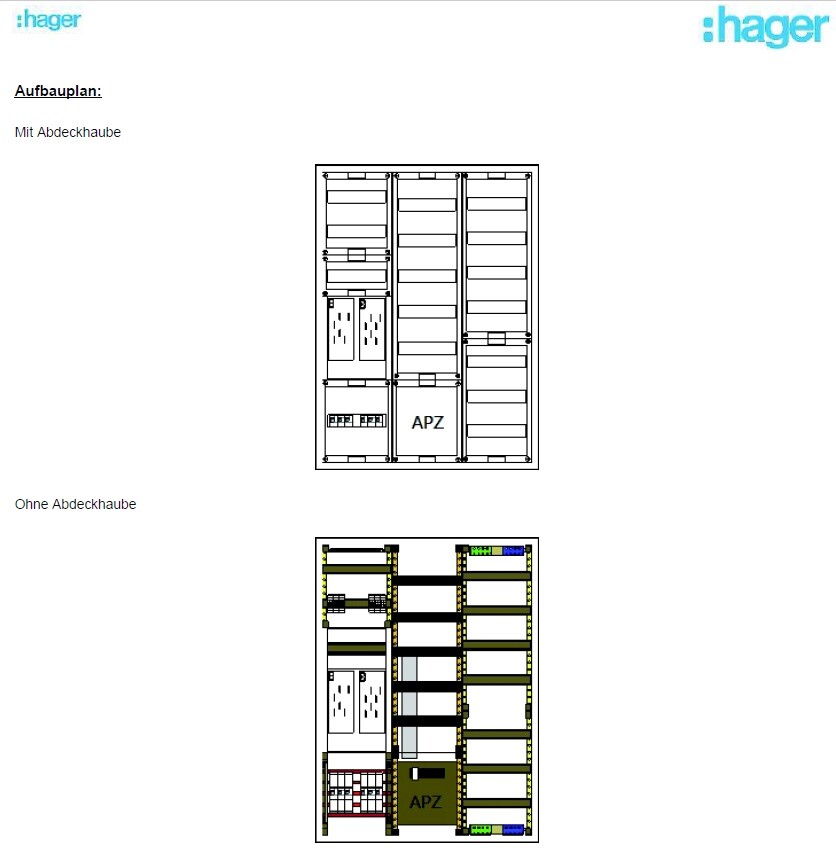
--> The distribution panel on the wall is attached (in case this is important).
Now to my questions:
1. I’m considering buying the FritzBox 7590 router because it seems to be one of the leading models on the market right now and has received very good reviews. I haven’t had good experiences with Speedports in the past, but the FritzBox has always left a positive impression.
– Does this make sense?
2. Is a router alone enough for this setup? It seems to me that there are too few ports on the router, so I definitely need a switch, correct?
I only know switches from LAN parties years ago and don’t have much experience with them. When connecting router <--> switch, do I lose any speed?
– If a switch is needed, what should I pay attention to when buying one? Are there any models you have had good experiences with?
3. Access points – how does this work? I am currently a bit unsure because I only had LAN cables pre-installed in the walls in the ground floor and attic hallway areas for the access points. Is that sufficient? How is the access point powered? Is it enough to simply plug this cable into the switch or the router? Is that even possible?
So: which cables should connect to the router, and which should go to a switch?
I would appreciate a simple explanation! I don’t need a high-end solution… There are currently and will be just two of us living in a very large house, no kids into gaming or anything like that… I just want reliable Wi-Fi throughout the house (since we have concrete ceilings) and good streaming of my Internet TV.
Additionally:
Are there any mounting options for switches or routers? At the moment, I don’t see any space for them in my distribution panel 😀
Slowly but surely, we are getting closer to moving in.
In about 4-6 weeks, we will most likely move into our new build.
For this reason, I am gradually starting to think about the technology in my house so that I have all the necessary information in time and everything works properly.
We built with a basement — so the utility room is located in the basement.
--> Fiber optic connection from the telecom provider – 100 Mbps with Magenta Smart TV (we only watch Internet TV – no satellite connection).
--> 7 double LAN outlets installed throughout the house (1x bedroom, 2x kids’ rooms, 1x living area, 1x office, 2x access points) – so 14 individual cables.
--> The distribution panel on the wall is attached (in case this is important).
Now to my questions:
1. I’m considering buying the FritzBox 7590 router because it seems to be one of the leading models on the market right now and has received very good reviews. I haven’t had good experiences with Speedports in the past, but the FritzBox has always left a positive impression.
– Does this make sense?
2. Is a router alone enough for this setup? It seems to me that there are too few ports on the router, so I definitely need a switch, correct?
I only know switches from LAN parties years ago and don’t have much experience with them. When connecting router <--> switch, do I lose any speed?
– If a switch is needed, what should I pay attention to when buying one? Are there any models you have had good experiences with?
3. Access points – how does this work? I am currently a bit unsure because I only had LAN cables pre-installed in the walls in the ground floor and attic hallway areas for the access points. Is that sufficient? How is the access point powered? Is it enough to simply plug this cable into the switch or the router? Is that even possible?
So: which cables should connect to the router, and which should go to a switch?
I would appreciate a simple explanation! I don’t need a high-end solution… There are currently and will be just two of us living in a very large house, no kids into gaming or anything like that… I just want reliable Wi-Fi throughout the house (since we have concrete ceilings) and good streaming of my Internet TV.
Additionally:
Are there any mounting options for switches or routers? At the moment, I don’t see any space for them in my distribution panel 😀

rick2018 schrieb:
Use Cat 7. That way you won’t have a bottleneck in the future.Which patch panel supports CAT 7? I thought RJ45 stops at CAT 6a?Even if I don’t have to install it myself, I prefer the keystone modules with a 19-inch mounting bracket. You can rearrange the ports on the bracket later, and if you want to modify something, you can also pull individual cables out of the network cabinet.
@Tolentino If you don’t have a Magenta TV, Unifi is straightforward.
It’s really enjoyable if you have their router, switch, and access points.
Do you need multiple networks (guest, kids, work, security, etc.)? Then it becomes interesting.
If you only want a single network and are a regular user, it’s not necessary—unless you want centralized management.
In that case, an all-in-one device (like a Fritz!Box or similar) plus a few access points is enough.
The solution without Unifi is cheaper but offers significantly fewer options. However, the configuration effort is not really greater.
It’s really enjoyable if you have their router, switch, and access points.
Do you need multiple networks (guest, kids, work, security, etc.)? Then it becomes interesting.
If you only want a single network and are a regular user, it’s not necessary—unless you want centralized management.
In that case, an all-in-one device (like a Fritz!Box or similar) plus a few access points is enough.
The solution without Unifi is cheaper but offers significantly fewer options. However, the configuration effort is not really greater.
Prager91 schrieb:
@netuser
I can only find the Telekom Speedport Smart 4 everywhere – but not the "PLUS" version?
The regular Smart 4 is fairly affordable (130€) – if it performs well and you are satisfied with it, I would consider switching back to Speedport instead of the Fritzbox 5530 Fiber.
Are you referring to that one, or is there actually a newer model available here?@netuser – could you possibly give me a response here? 🙂
Prager91 schrieb:
@netuser - would you maybe have an answer for me here? 🙂Sorry, yes.
I’m not sure why I had a "PLUS" in mind here… but I was ultimately referring to the standard version that you currently get for the mentioned 130 EUR.
As I said, I relied on Fritzboxes for many years. In a home with fiber optic internet and access points, I no longer saw any advantages, since it’s more expensive and complicated to set up than, for example, with the Speedport. Unfortunately, AMV does not offer access points with PoE (Power over Ethernet), so it wouldn’t all come from a single supplier anyway. Everything else, like DECT, is also excellently covered by Speedport…
netuser schrieb:
Sorry, yes.
I’m not sure why I remembered a "PLUS" version here... but I was ultimately referring to the standard one currently available for around 130 EUR at Amazon.
As I said, I used Fritzboxes for many years. In my own home with fiber optic and access points, I no longer saw any benefits, since it’s more expensive and complicated to set up compared to, for example, the Speedport. Unfortunately, AMV doesn’t offer access points with PoE, so you wouldn’t get everything from a single provider anyway. Everything else like DECT is also well supported by Speedport... All right – I think I’ll go for it then!
What kind of access point do you use? And which switch? Since we’re on the topic 😀
Do I actually need a 1000 Mbps (1 Gbps) switch, or is 100 Mbps enough? Switches here are always offered with these two options.
I have a 100 Mbps fiber optic line with Telekom.