
Hello everyone,
Slowly but surely, we are getting closer to moving in.
In about 4-6 weeks, we will most likely move into our new build.
For this reason, I am gradually starting to think about the technology in my house so that I have all the necessary information in time and everything works properly.
We built with a basement — so the utility room is located in the basement.
--> Fiber optic connection from the telecom provider – 100 Mbps with Magenta Smart TV (we only watch Internet TV – no satellite connection).
--> 7 double LAN outlets installed throughout the house (1x bedroom, 2x kids’ rooms, 1x living area, 1x office, 2x access points) – so 14 individual cables.
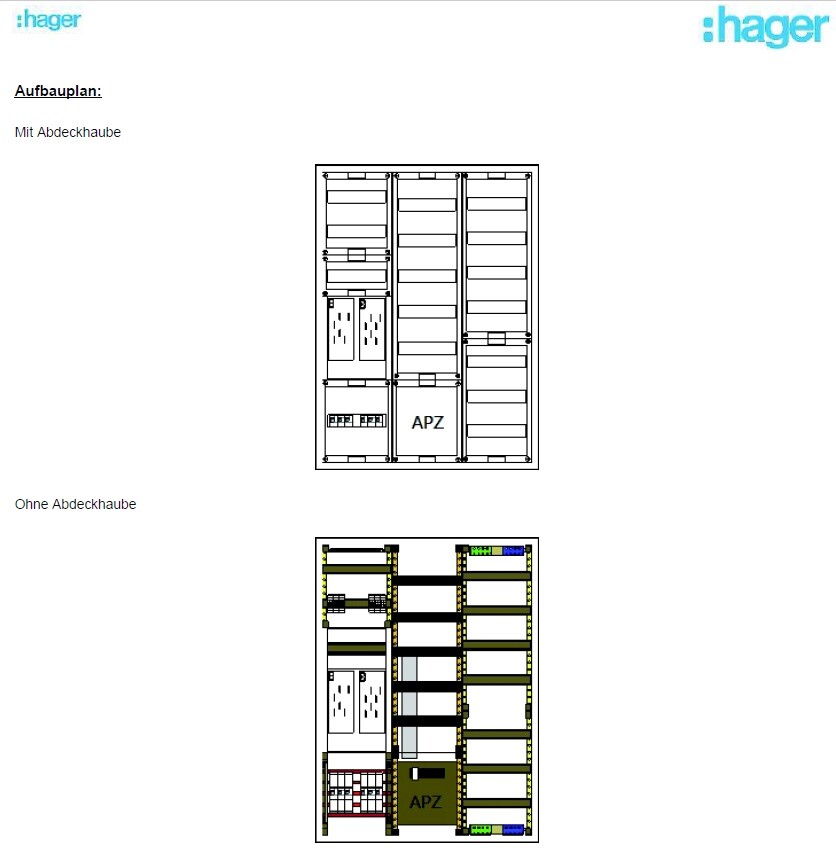
--> The distribution panel on the wall is attached (in case this is important).
Now to my questions:
1. I’m considering buying the FritzBox 7590 router because it seems to be one of the leading models on the market right now and has received very good reviews. I haven’t had good experiences with Speedports in the past, but the FritzBox has always left a positive impression.
– Does this make sense?
2. Is a router alone enough for this setup? It seems to me that there are too few ports on the router, so I definitely need a switch, correct?
I only know switches from LAN parties years ago and don’t have much experience with them. When connecting router <--> switch, do I lose any speed?
– If a switch is needed, what should I pay attention to when buying one? Are there any models you have had good experiences with?
3. Access points – how does this work? I am currently a bit unsure because I only had LAN cables pre-installed in the walls in the ground floor and attic hallway areas for the access points. Is that sufficient? How is the access point powered? Is it enough to simply plug this cable into the switch or the router? Is that even possible?
So: which cables should connect to the router, and which should go to a switch?
I would appreciate a simple explanation! I don’t need a high-end solution… There are currently and will be just two of us living in a very large house, no kids into gaming or anything like that… I just want reliable Wi-Fi throughout the house (since we have concrete ceilings) and good streaming of my Internet TV.
Additionally:
Are there any mounting options for switches or routers? At the moment, I don’t see any space for them in my distribution panel 😀
Slowly but surely, we are getting closer to moving in.
In about 4-6 weeks, we will most likely move into our new build.
For this reason, I am gradually starting to think about the technology in my house so that I have all the necessary information in time and everything works properly.
We built with a basement — so the utility room is located in the basement.
--> Fiber optic connection from the telecom provider – 100 Mbps with Magenta Smart TV (we only watch Internet TV – no satellite connection).
--> 7 double LAN outlets installed throughout the house (1x bedroom, 2x kids’ rooms, 1x living area, 1x office, 2x access points) – so 14 individual cables.
--> The distribution panel on the wall is attached (in case this is important).
Now to my questions:
1. I’m considering buying the FritzBox 7590 router because it seems to be one of the leading models on the market right now and has received very good reviews. I haven’t had good experiences with Speedports in the past, but the FritzBox has always left a positive impression.
– Does this make sense?
2. Is a router alone enough for this setup? It seems to me that there are too few ports on the router, so I definitely need a switch, correct?
I only know switches from LAN parties years ago and don’t have much experience with them. When connecting router <--> switch, do I lose any speed?
– If a switch is needed, what should I pay attention to when buying one? Are there any models you have had good experiences with?
3. Access points – how does this work? I am currently a bit unsure because I only had LAN cables pre-installed in the walls in the ground floor and attic hallway areas for the access points. Is that sufficient? How is the access point powered? Is it enough to simply plug this cable into the switch or the router? Is that even possible?
So: which cables should connect to the router, and which should go to a switch?
I would appreciate a simple explanation! I don’t need a high-end solution… There are currently and will be just two of us living in a very large house, no kids into gaming or anything like that… I just want reliable Wi-Fi throughout the house (since we have concrete ceilings) and good streaming of my Internet TV.
Additionally:
Are there any mounting options for switches or routers? At the moment, I don’t see any space for them in my distribution panel 😀

You are already using 15 ports. You should go for a 24-port switch right away.
The most practical solution is to run the LAN cables directly to the network cabinet. There, terminate them on a patch panel and connect them to the switch with patch cables.
If you prefer not to do that, you can install keystone jacks on the cable ends and connect directly to the switch using patch cables.
The Fritz!Box only requires power, fiber optic, and one LAN cable to the switch.
The Fritz!Box 7590 is not suitable because there is no fiber optic connection! You need the 5530 Fiber or the smaller model. Both will work for your purpose.
I would also recommend using a PoE switch.
Regarding access points: Of course, you will have Wi-Fi coverage within 3 meters. But if there is a wall or something similar in between, you won’t get fast 5 GHz Wi-Fi, only slower 2.4 GHz Wi-Fi. That is still sufficient for normal use.
The access point you mentioned is fine. Alternatively, you could choose my suggestion, which is a bit cheaper.
I would run LAN cables to the garage and garden right away, especially if plastering and similar work has not been done yet.
And then you will definitely need a 24-port switch 😉. We’re not even talking about cameras or anything like that.
The most practical solution is to run the LAN cables directly to the network cabinet. There, terminate them on a patch panel and connect them to the switch with patch cables.
If you prefer not to do that, you can install keystone jacks on the cable ends and connect directly to the switch using patch cables.
The Fritz!Box only requires power, fiber optic, and one LAN cable to the switch.
The Fritz!Box 7590 is not suitable because there is no fiber optic connection! You need the 5530 Fiber or the smaller model. Both will work for your purpose.
I would also recommend using a PoE switch.
Regarding access points: Of course, you will have Wi-Fi coverage within 3 meters. But if there is a wall or something similar in between, you won’t get fast 5 GHz Wi-Fi, only slower 2.4 GHz Wi-Fi. That is still sufficient for normal use.
The access point you mentioned is fine. Alternatively, you could choose my suggestion, which is a bit cheaper.
I would run LAN cables to the garage and garden right away, especially if plastering and similar work has not been done yet.
And then you will definitely need a 24-port switch 😉. We’re not even talking about cameras or anything like that.
Prager91 schrieb:
One more question about the patch panel:
The electrician says there will be an 18-port patch panel included. That’s where all the LAN cables come together, and it will be installed inside the electrical cabinet.
What does this mean for me? Do I have to unplug everything and then connect each cable individually to the switch?Even better. So, you connect patch cables directly from the patch panel to the switch. However, the proper and neater way is to run the permanent cables all the way to the network cabinet and have the patch panel installed there as well.rick2018 schrieb:
All the better. So, patch cables directly from the patch panel to the switch. However, the proper and cleaner way would be to run permanent cabling to the network cabinet and also have the patch panel located there. So, does that mean I have double the work or double the material costs because I need to run a separate LAN cable from each port on the patch panel to the switch?
In the end, isn’t the effort basically the same? I definitely need an extra LAN cable from the patch panel to the switch, right? So, that means 14 individual LAN cables running from the patch panel to the switch, or am I misunderstanding something?
And one more question:
What is the real benefit of having a patch panel if I still have to "extend" all the cables anyway? Whether the patch panel is inside the network cabinet or the electrical cabinet, does it really matter? I could just run each cable directly to the switch, couldn’t I?
The patch panel allows you to easily make connections.
The installation cables are quite stiff. In theory, you can attach connectors directly to the installation cables and connect them, but this is ABSOLUTELY not recommended.
There are no extra costs involved. Patch cables are inexpensive. Just make sure that either the patch panel is installed directly in the network cabinet or that the network cabinet is located nearby.
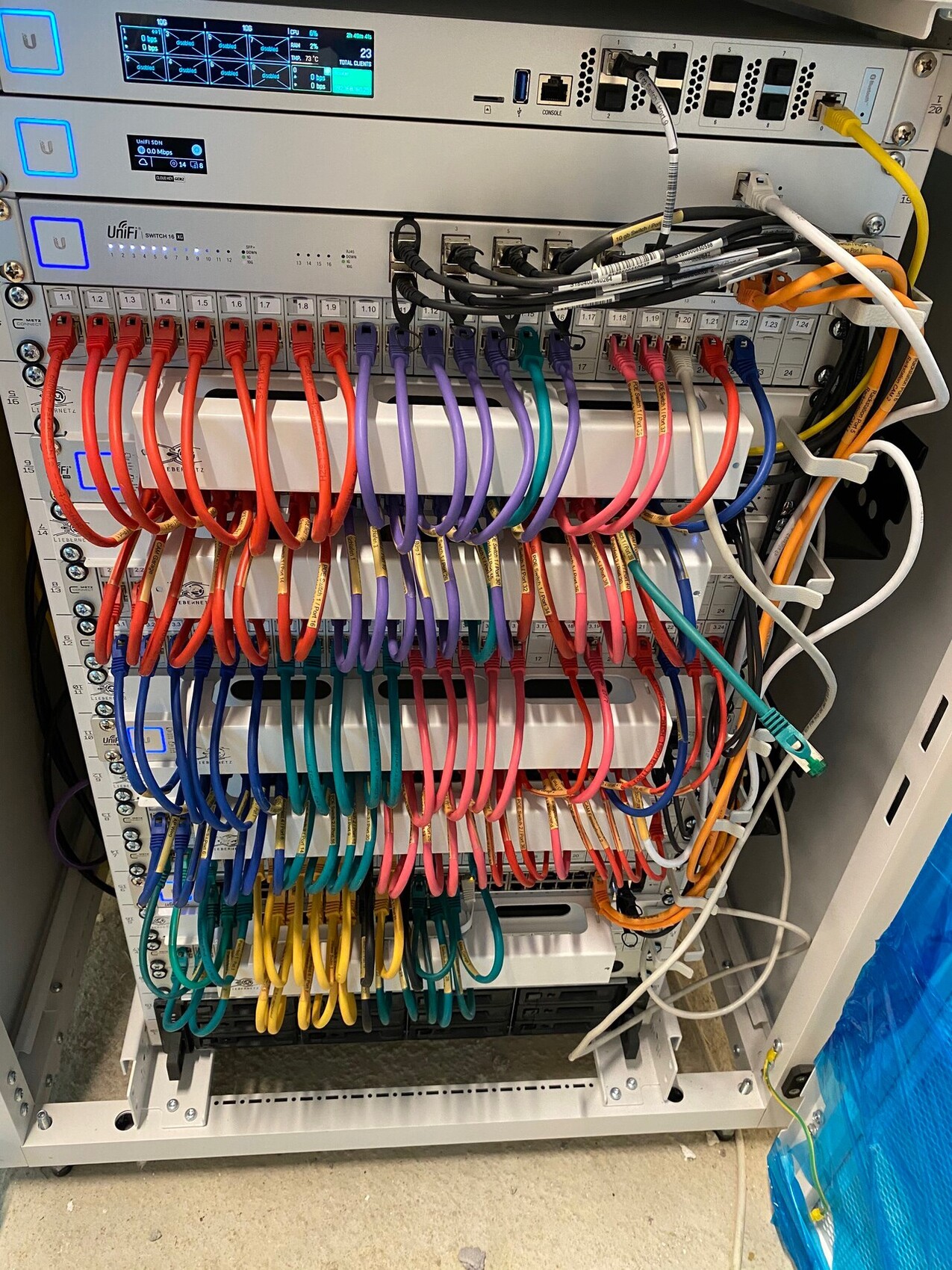
Attached is a photo showing how my setup looked. You would only need one patch panel and one switch.
The installation cables are quite stiff. In theory, you can attach connectors directly to the installation cables and connect them, but this is ABSOLUTELY not recommended.
There are no extra costs involved. Patch cables are inexpensive. Just make sure that either the patch panel is installed directly in the network cabinet or that the network cabinet is located nearby.
Attached is a photo showing how my setup looked. You would only need one patch panel and one switch.
rick2018 schrieb:
The patch panel is there so you can do patching.
The installation cables are quite stiff. In theory, you can put connectors on the installation cables and connect them directly, but this is ABSOLUTELY not recommended.
It’s not double the cost either. Patch cables don’t cost much. Just make sure the patch panel goes either directly into the network cabinet or that the network cabinet is nearby.
Attached is how my setup looked. You would only need a patch panel and a switch. Understood! Thanks so much, @rick2018!!
Is it ultimately possible to have the electrician install the patch panel into the network cabinet afterward without problems? Do the rails and such always fit universally? Would it help to talk to the electrician beforehand, asking them not to mount it but to leave it loose so I can take a look and install it myself later?
Do you have a recommendation for a 24-port PoE switch and possibly a matching access point? Preferably something affordable 🙂
And also a suitable network cabinet? Can you just buy any 19" cabinet easily? Is there anything particular to watch out for, especially regarding the electrician’s patch panel?
Prager91 schrieb:
In the end, the effort is always the same, right? I definitely need an additional LAN cable from the patch panel to the switch? So that means 14 individual LAN cables running from the patch panel to the switch, or how should I understand this? Yes, but here you can just get a set of short colored cables for under 15 EUR and everything will be neat and tidy.
Prager91 schrieb:
And one more question:
What is the actual benefit of the patch panel if I have to "extend" all the cables anyway? Whether it is in the network cabinet or the electrical cabinet doesn’t matter, right? I could just run all the cables individually directly to the switch? I doubt the cables end up inside the electrical cabinet; they are probably routed beside it, right?
So they go to a patch panel there. If the electrician is doing the cable terminations anyway, it’s best to get an appropriate cabinet (around 100 EUR) and a matching patch panel for him to terminate the cables directly on it.
Add a switch (plus the Speedport Smart 4 as I recommended) and everything will work well together with the mentioned access points.
Similar topics