
Hello everyone,
I hope my question(s) are not too network-specific; otherwise, I might need to ask in an IT forum. But I’ll start here.
We recently purchased a newly built house, and after completing several tasks, the next item on our agenda is setting up the network.
Unfortunately, in my opinion, the builder didn’t put much thought into this aspect. At least, there is one double LAN outlet on the ground floor and one on the upper floor. In the utility room, where the fiber optic modem is now installed, two CAT 7 patch cables come out of the wall, but they don’t have connectors on the ends yet. I assume these cables correspond to those two outlets.
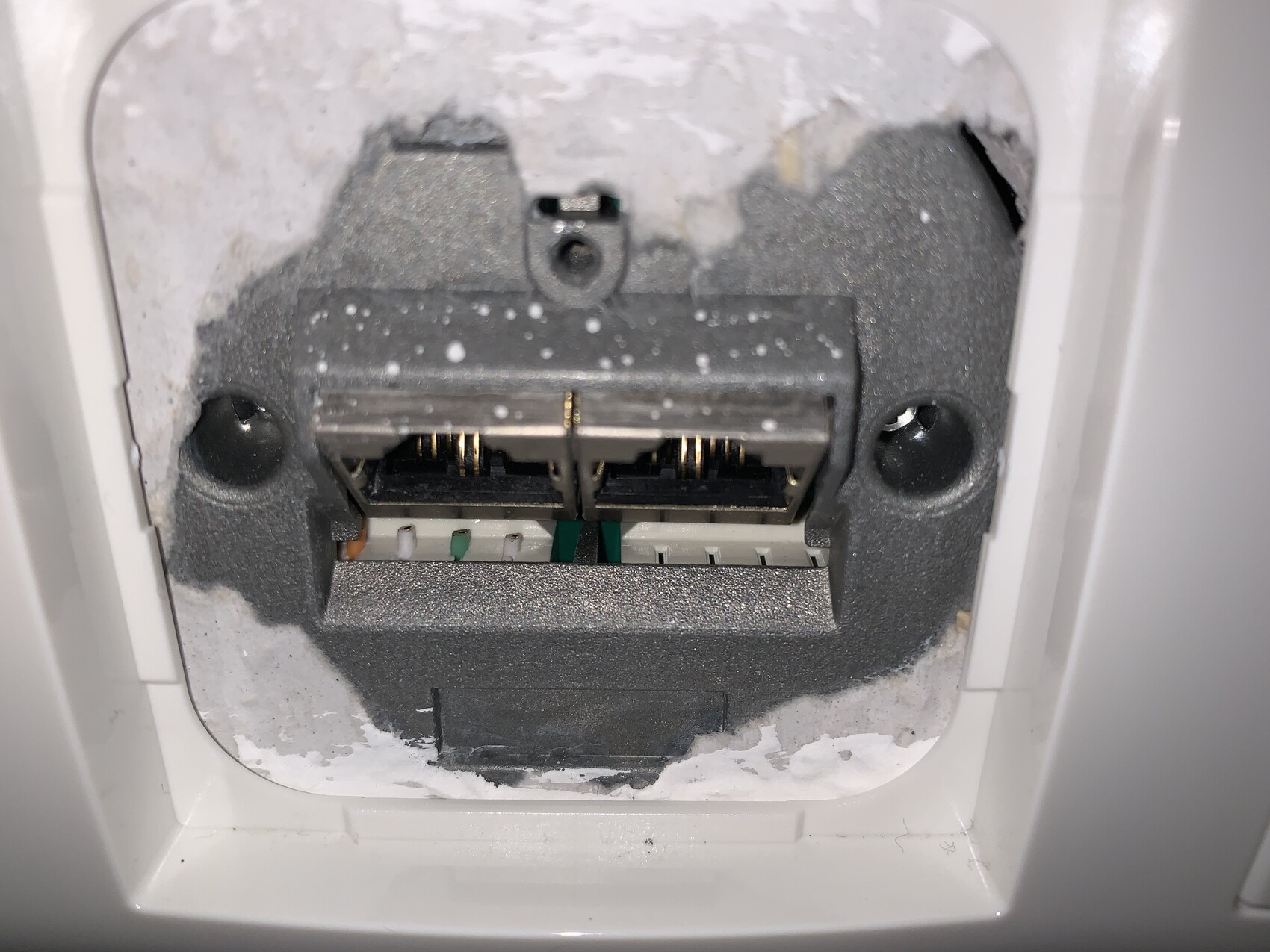
Originally, I planned to terminate both cables myself after some research. However, I don’t know which wiring standard the network outlets use — EIA/TIA-568A or 568B. I took a photo — is it possible to identify the standard from the visible colors? Honestly, as a layperson, it looks to me like the wiring might be incorrect in general. In neither standard is orange on the far outside, right?
Also, it seems that only one of the two ports in each outlet is actually connected (which makes sense since there is only one cable per outlet). Now I’m considering using one cable to connect both ports, even though that would limit the speed to a maximum of 100 Mbps. That should be possible, right?
I hope my question(s) are not too network-specific; otherwise, I might need to ask in an IT forum. But I’ll start here.
We recently purchased a newly built house, and after completing several tasks, the next item on our agenda is setting up the network.
Unfortunately, in my opinion, the builder didn’t put much thought into this aspect. At least, there is one double LAN outlet on the ground floor and one on the upper floor. In the utility room, where the fiber optic modem is now installed, two CAT 7 patch cables come out of the wall, but they don’t have connectors on the ends yet. I assume these cables correspond to those two outlets.
Originally, I planned to terminate both cables myself after some research. However, I don’t know which wiring standard the network outlets use — EIA/TIA-568A or 568B. I took a photo — is it possible to identify the standard from the visible colors? Honestly, as a layperson, it looks to me like the wiring might be incorrect in general. In neither standard is orange on the far outside, right?
Also, it seems that only one of the two ports in each outlet is actually connected (which makes sense since there is only one cable per outlet). Now I’m considering using one cable to connect both ports, even though that would limit the speed to a maximum of 100 Mbps. That should be possible, right?
 untergasse438 May 2020 14:44
In Europe, the TIA-568A standard is commonly used. However, fundamentally it doesn’t matter as long as you use the same standard consistently everywhere. You can’t tell anything from the photo. If the visible colors are supposed to represent PIN 1-4 or 5-8, it wouldn’t match either of the two standards, because in both, green/green-white or orange/orange-white do not appear in that order. Just open the outlet and check which PIN corresponds to which color.
Splitting is possible, but why would you want to do that? It’s usually better to add a small network switch as needed, which are also available with Power over Ethernet (PoE). This means you could power it via a PoE switch in the utility or communication room.
Splitting is possible, but why would you want to do that? It’s usually better to add a small network switch as needed, which are also available with Power over Ethernet (PoE). This means you could power it via a PoE switch in the utility or communication room.


As already mentioned, remove the box and check how the cables are laid out.
In the utility room, do not attach plugs to the cables by crimping; instead, fixed wiring with installation cables should be used. If there are only two cables, the easiest option is to use a double network socket.
In the utility room, do not attach plugs to the cables by crimping; instead, fixed wiring with installation cables should be used. If there are only two cables, the easiest option is to use a double network socket.

Similar topics