
ᐅ Are Ethernet ports still relevant today? Wi-Fi and wireless connections are the future!
Created on: 29 Jan 2020 21:06
B
Bauherr am L
Hello fellow cable enthusiasts and Wi-Fi addicts,
I already confessed in the SAT discussion that I consider coax outlets and satellite dishes completely outdated since entertainment is streamed nowadays, and I’m not planning to include them in our new build (more on that in the SAT discussion). But that’s not what this is about.
Right now, I’m trying to smartly distribute LAN duplex Cat 6a and Cat7 cable outlets throughout the rooms (1st floor: 2 kids’ rooms, kids’ bathroom, master bedroom, dressing room, master bathroom, hallway; 2nd floor: open living/dining/kitchen area, hallway, entrance area, guest restroom).
On one hand, I feel like none of the rooms really fit the outlets perfectly, like: “the desk could go here…” But what if the TV ends up in that corner instead?
On the other hand, I’m looking at our current devices and very few still have LAN ports: MacBooks, iPhones, tablets, or devices that have LAN options but mostly connect via Wi-Fi anyway, like Sonos, printers, TVs.
So the question arises whether LAN ports in rooms are still that important today. I’m not talking about the Wi-Fi access points, which of course should be connected via LAN in a convenient location, or special cases like PoE cameras and door intercoms. I’m mainly referring to the LAN outlets in individual rooms. Most end devices are mobile anyway, and the outlets will be in the wrong place 99% of the time.
I read (yes, I spent some time researching this) that the cost of LAN outlets is negligible. Well, if I install duplex outlets in all those questionable locations, the cost for switches and everything else adds up to a nice chunk.
I would be interested in your opinion on this. Since I am straightforwardly skipping any traditional TV (in our case only satellite would be possible) and the corresponding connections, wouldn’t it be consistent to also counteract the outlet overload regarding LAN?
Looking forward to your comments, thanks!
I already confessed in the SAT discussion that I consider coax outlets and satellite dishes completely outdated since entertainment is streamed nowadays, and I’m not planning to include them in our new build (more on that in the SAT discussion). But that’s not what this is about.
Right now, I’m trying to smartly distribute LAN duplex Cat 6a and Cat7 cable outlets throughout the rooms (1st floor: 2 kids’ rooms, kids’ bathroom, master bedroom, dressing room, master bathroom, hallway; 2nd floor: open living/dining/kitchen area, hallway, entrance area, guest restroom).
On one hand, I feel like none of the rooms really fit the outlets perfectly, like: “the desk could go here…” But what if the TV ends up in that corner instead?
On the other hand, I’m looking at our current devices and very few still have LAN ports: MacBooks, iPhones, tablets, or devices that have LAN options but mostly connect via Wi-Fi anyway, like Sonos, printers, TVs.
So the question arises whether LAN ports in rooms are still that important today. I’m not talking about the Wi-Fi access points, which of course should be connected via LAN in a convenient location, or special cases like PoE cameras and door intercoms. I’m mainly referring to the LAN outlets in individual rooms. Most end devices are mobile anyway, and the outlets will be in the wrong place 99% of the time.
I read (yes, I spent some time researching this) that the cost of LAN outlets is negligible. Well, if I install duplex outlets in all those questionable locations, the cost for switches and everything else adds up to a nice chunk.
I would be interested in your opinion on this. Since I am straightforwardly skipping any traditional TV (in our case only satellite would be possible) and the corresponding connections, wouldn’t it be consistent to also counteract the outlet overload regarding LAN?
Looking forward to your comments, thanks!

I had exactly the same problem. I was a bit annoyed at first, but now it is completely unnoticeable visually.
However, it was not that easy to find these spacer rings. Or maybe I just didn’t handle it well. In the end, I ordered 18cm (7-inch) wooden boards with a thickness of 6mm (0.24 inches), glued three pieces together each time, sanded them, painted them white, and then hollowed them out in the center with a hole saw. After that, I installed them together with the Unifi adapter plate on the ceiling.
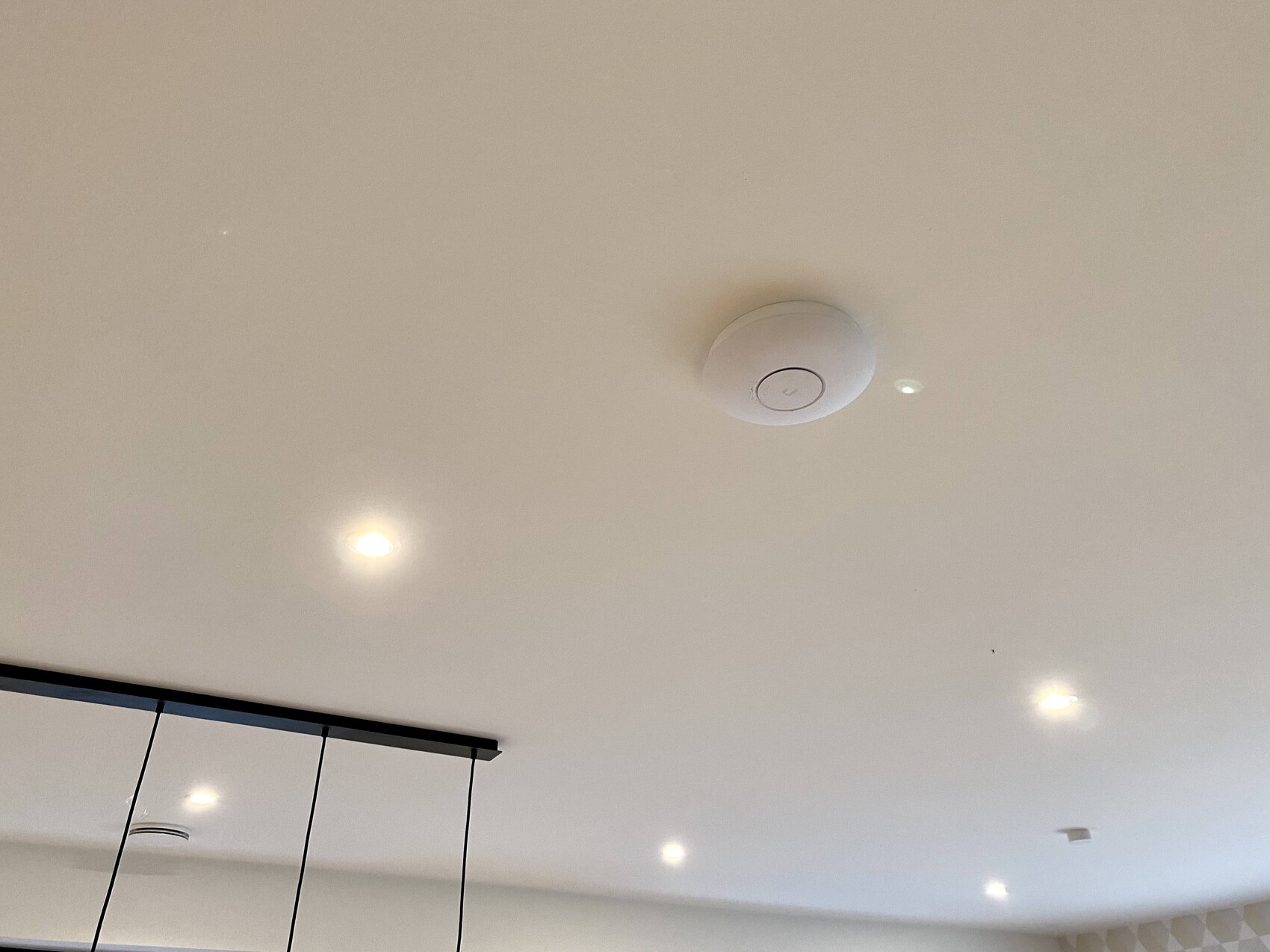
However, it was not that easy to find these spacer rings. Or maybe I just didn’t handle it well. In the end, I ordered 18cm (7-inch) wooden boards with a thickness of 6mm (0.24 inches), glued three pieces together each time, sanded them, painted them white, and then hollowed them out in the center with a hole saw. After that, I installed them together with the Unifi adapter plate on the ceiling.
S
Stefan2.842 Nov 2020 14:53My issue is less about visibility and more about implementation. But now I have the perfect solution. I will probably go ahead with it… once I figure out which access point to buy.

S
Stefan2.843 Nov 2020 10:13Ok. Then I will buy two of them. And which switch do I need, although I completely forgot to take a picture of the cabinet. Not much will fit in there anyway.
@Stefan2.84
I have a 10-inch cabinet with a Zyxel GS1900-24E inside; it fits perfectly on one shelf. In the attic, a NanoHD is mounted on the ceiling, which, by the way, is already performing better throughout the house compared to the FritzBox.
(I’ve also shared this in a previous thread)
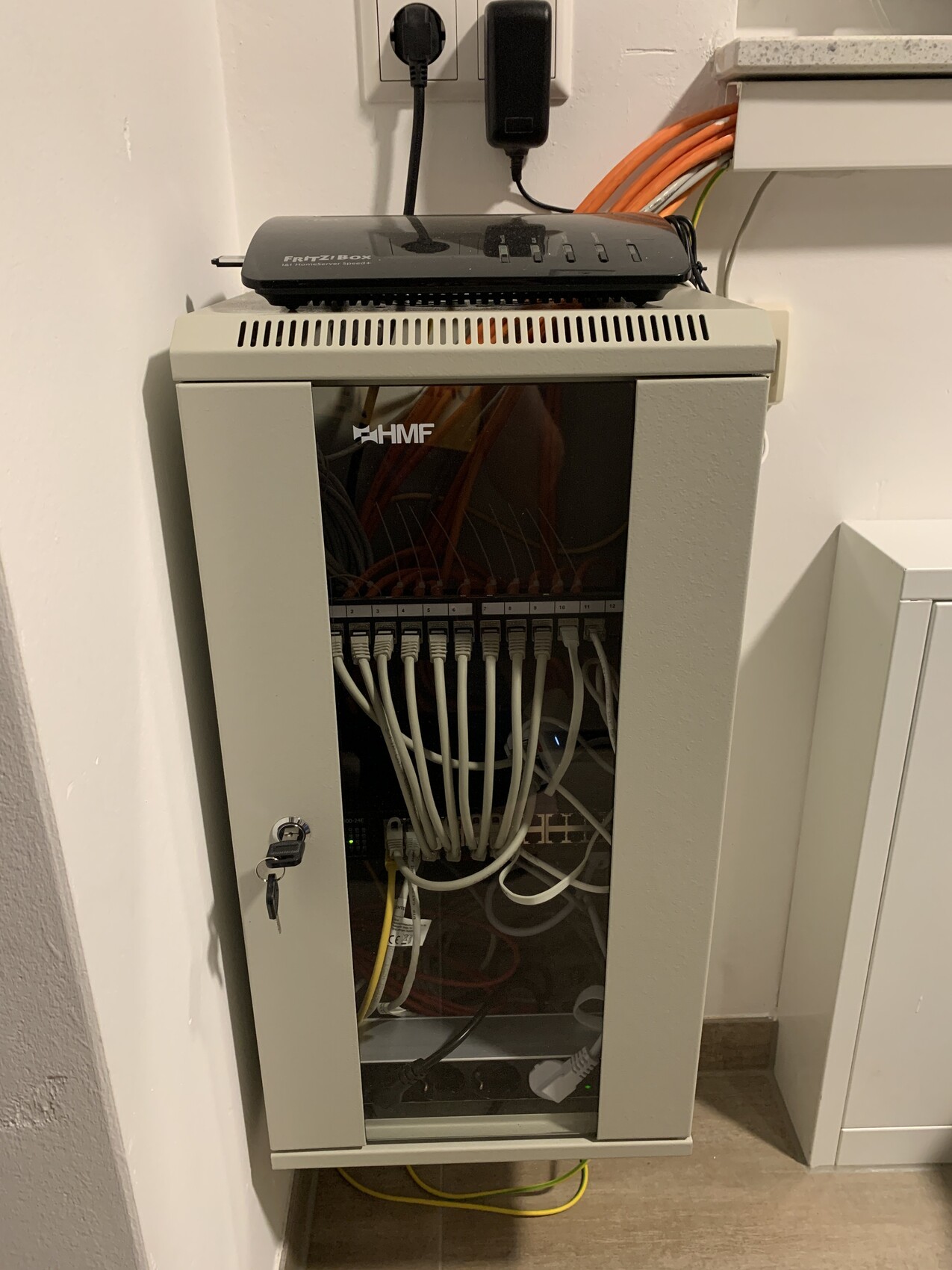
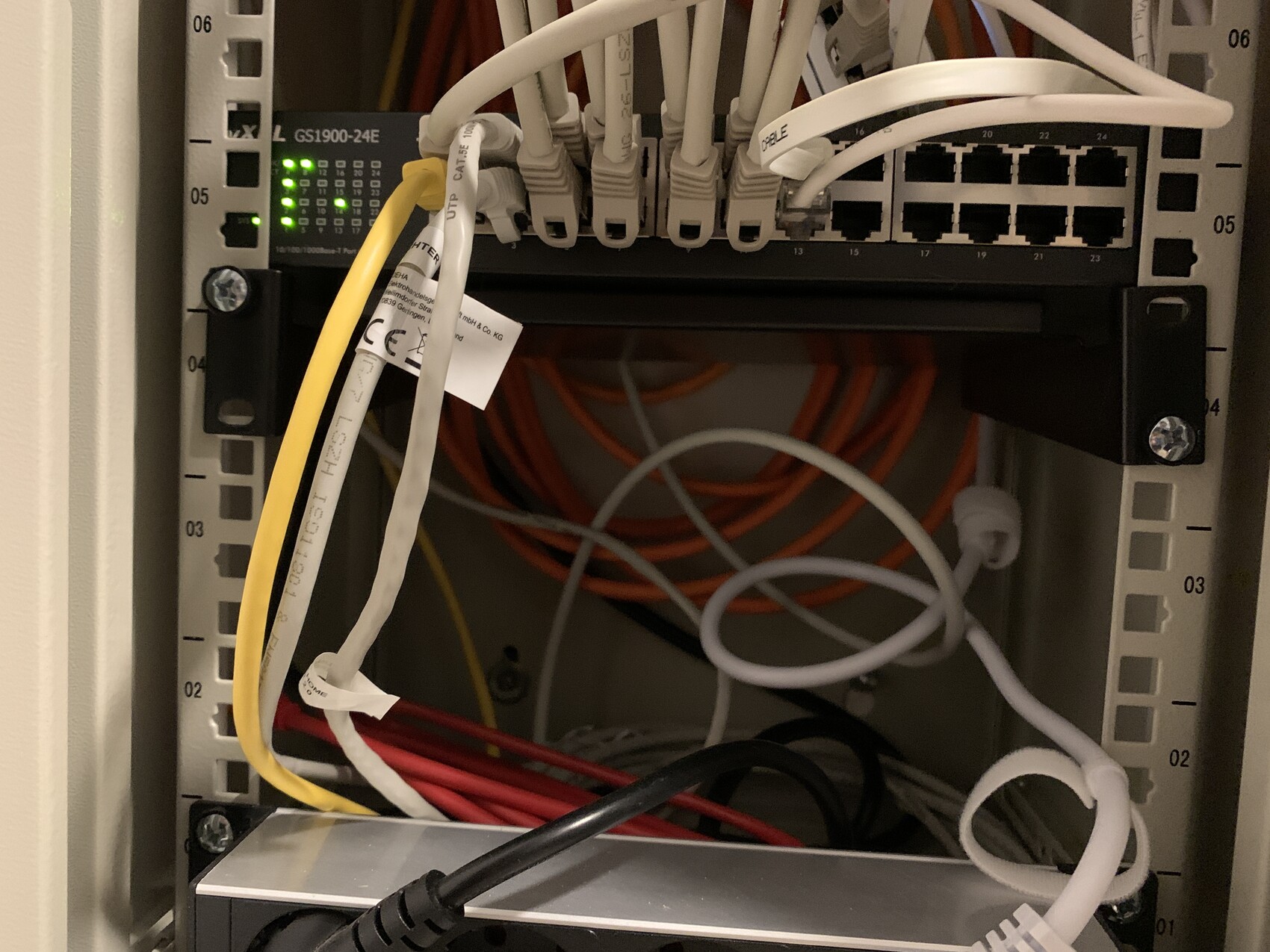
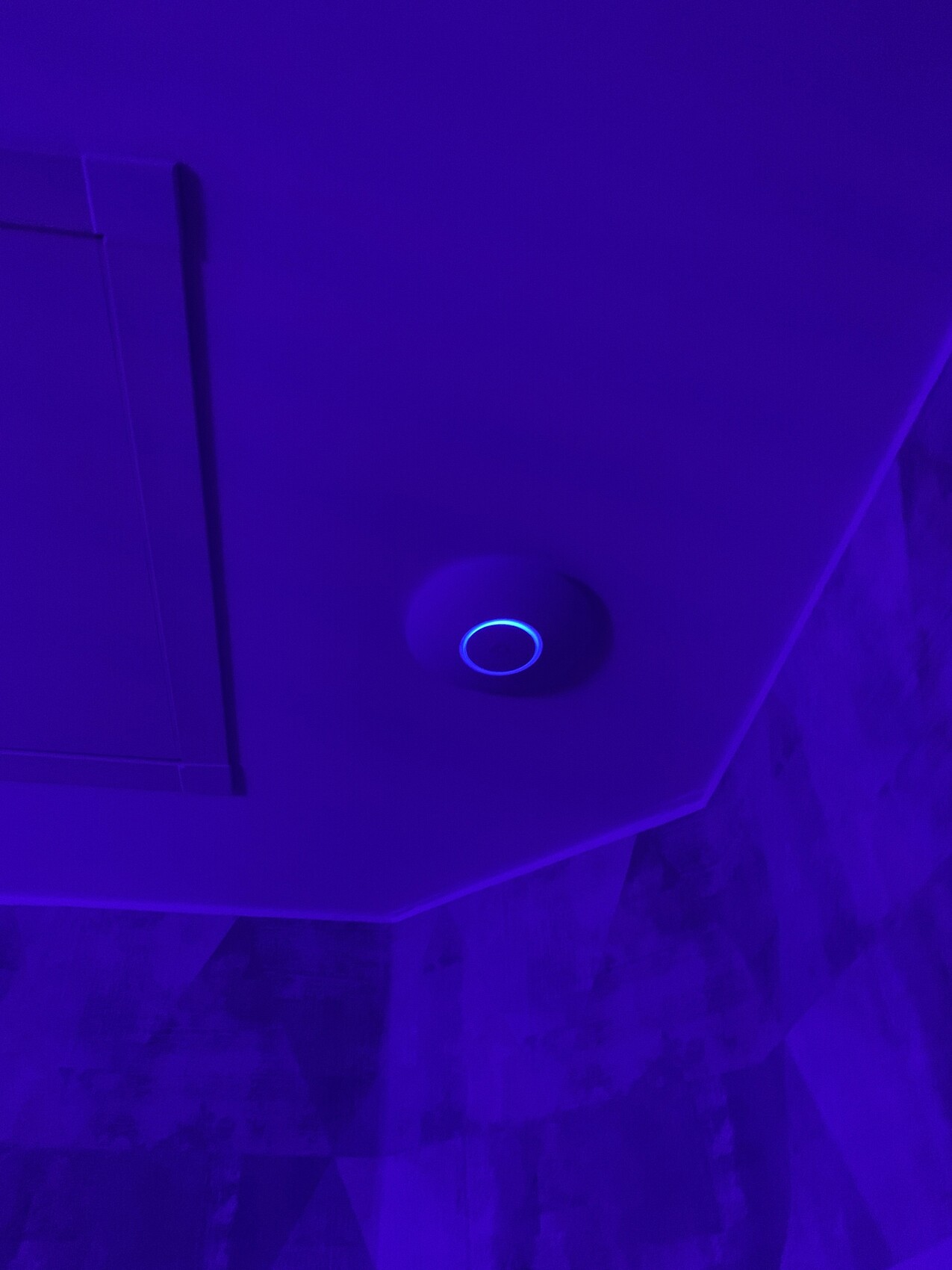
I have a 10-inch cabinet with a Zyxel GS1900-24E inside; it fits perfectly on one shelf. In the attic, a NanoHD is mounted on the ceiling, which, by the way, is already performing better throughout the house compared to the FritzBox.
(I’ve also shared this in a previous thread)
Similar topics