
Hello everyone,
Slowly but surely, we are getting closer to moving in.
In about 4-6 weeks, we will most likely move into our new build.
For this reason, I am gradually starting to think about the technology in my house so that I have all the necessary information in time and everything works properly.
We built with a basement — so the utility room is located in the basement.
--> Fiber optic connection from the telecom provider – 100 Mbps with Magenta Smart TV (we only watch Internet TV – no satellite connection).
--> 7 double LAN outlets installed throughout the house (1x bedroom, 2x kids’ rooms, 1x living area, 1x office, 2x access points) – so 14 individual cables.
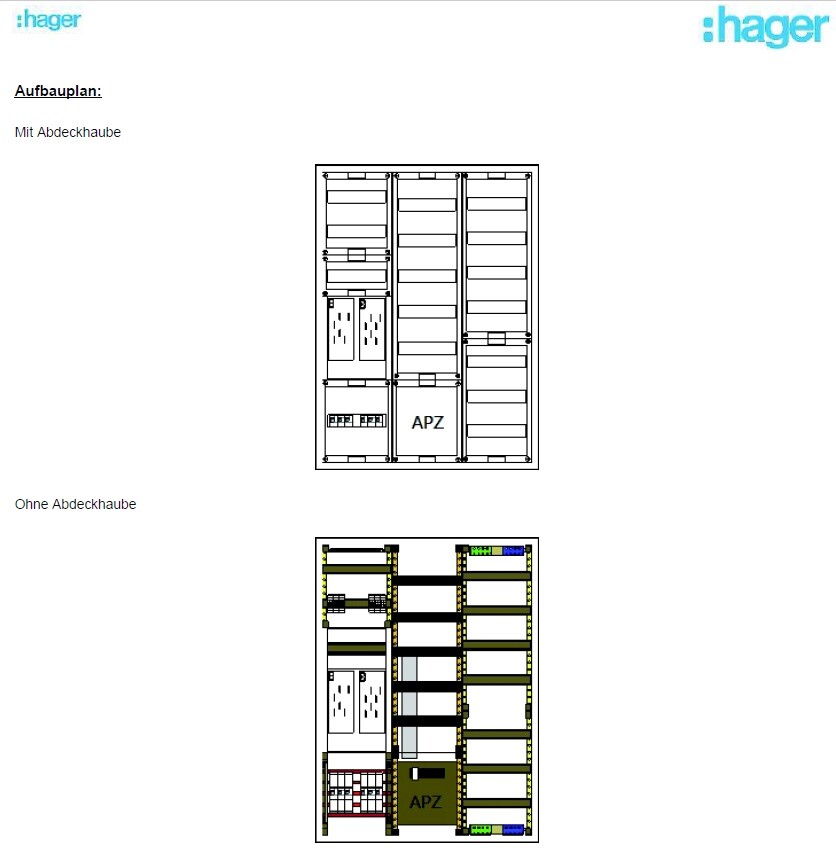
--> The distribution panel on the wall is attached (in case this is important).
Now to my questions:
1. I’m considering buying the FritzBox 7590 router because it seems to be one of the leading models on the market right now and has received very good reviews. I haven’t had good experiences with Speedports in the past, but the FritzBox has always left a positive impression.
– Does this make sense?
2. Is a router alone enough for this setup? It seems to me that there are too few ports on the router, so I definitely need a switch, correct?
I only know switches from LAN parties years ago and don’t have much experience with them. When connecting router <--> switch, do I lose any speed?
– If a switch is needed, what should I pay attention to when buying one? Are there any models you have had good experiences with?
3. Access points – how does this work? I am currently a bit unsure because I only had LAN cables pre-installed in the walls in the ground floor and attic hallway areas for the access points. Is that sufficient? How is the access point powered? Is it enough to simply plug this cable into the switch or the router? Is that even possible?
So: which cables should connect to the router, and which should go to a switch?
I would appreciate a simple explanation! I don’t need a high-end solution… There are currently and will be just two of us living in a very large house, no kids into gaming or anything like that… I just want reliable Wi-Fi throughout the house (since we have concrete ceilings) and good streaming of my Internet TV.
Additionally:
Are there any mounting options for switches or routers? At the moment, I don’t see any space for them in my distribution panel 😀
Slowly but surely, we are getting closer to moving in.
In about 4-6 weeks, we will most likely move into our new build.
For this reason, I am gradually starting to think about the technology in my house so that I have all the necessary information in time and everything works properly.
We built with a basement — so the utility room is located in the basement.
--> Fiber optic connection from the telecom provider – 100 Mbps with Magenta Smart TV (we only watch Internet TV – no satellite connection).
--> 7 double LAN outlets installed throughout the house (1x bedroom, 2x kids’ rooms, 1x living area, 1x office, 2x access points) – so 14 individual cables.
--> The distribution panel on the wall is attached (in case this is important).
Now to my questions:
1. I’m considering buying the FritzBox 7590 router because it seems to be one of the leading models on the market right now and has received very good reviews. I haven’t had good experiences with Speedports in the past, but the FritzBox has always left a positive impression.
– Does this make sense?
2. Is a router alone enough for this setup? It seems to me that there are too few ports on the router, so I definitely need a switch, correct?
I only know switches from LAN parties years ago and don’t have much experience with them. When connecting router <--> switch, do I lose any speed?
– If a switch is needed, what should I pay attention to when buying one? Are there any models you have had good experiences with?
3. Access points – how does this work? I am currently a bit unsure because I only had LAN cables pre-installed in the walls in the ground floor and attic hallway areas for the access points. Is that sufficient? How is the access point powered? Is it enough to simply plug this cable into the switch or the router? Is that even possible?
So: which cables should connect to the router, and which should go to a switch?
I would appreciate a simple explanation! I don’t need a high-end solution… There are currently and will be just two of us living in a very large house, no kids into gaming or anything like that… I just want reliable Wi-Fi throughout the house (since we have concrete ceilings) and good streaming of my Internet TV.
Additionally:
Are there any mounting options for switches or routers? At the moment, I don’t see any space for them in my distribution panel 😀
R
RotorMotor6 Mar 2022 21:27Bauenaberwie schrieb:
I have to admit that the statement confuses me a bit. Until now, I understood it like this: 23 network outlets = 23 cables arriving in the utility room. Each one is then connected to a port on the patch panel. From there, I go to the switch. Do you mean I can connect, for example, the two network outlets from the children's room to a single port, and thus "save" one outlet? That would be possible with half duplex, but that’s not what I mean.
So, you do need a port on the patch panel for every network outlet in the house.
However, in my opinion, not every patch panel port needs to be connected directly to a switch.
You can patch it as needed.

B
Bauenaberwie6 Mar 2022 21:51Ah, okay, so if I only use one of the two connections in the children's room, both don't need to be connected to the switch. Makes sense. I think I'll go with the 48-port patch panel and start with a 24-port switch. I expect to know within six months at the latest whether that's enough or not 🙂
So - a quick update on my project:
The network cabinet is neatly installed below my electrical distribution board.
The network cables are already pulled through – the patch panel is properly mounted – and the power strip is connected.
Only the internet connection is missing, then I can get started!
All purchases, thanks to your advice, are making a good impression – so far, I’m satisfied 🙂
I would like to buy the access points with PoE right from the start.
I can’t decide on one – I’d appreciate some more input on this.
I don’t need multiple networks and have no major requirements except:
- easy installation
- good range
- relatively compact (no huge units)
- good wall mount capability
- reasonable price (up to 120€ (about $130) each)
I need a total of 2.
The network cabinet is neatly installed below my electrical distribution board.
The network cables are already pulled through – the patch panel is properly mounted – and the power strip is connected.
Only the internet connection is missing, then I can get started!
All purchases, thanks to your advice, are making a good impression – so far, I’m satisfied 🙂
I would like to buy the access points with PoE right from the start.
I can’t decide on one – I’d appreciate some more input on this.
I don’t need multiple networks and have no major requirements except:
- easy installation
- good range
- relatively compact (no huge units)
- good wall mount capability
- reasonable price (up to 120€ (about $130) each)
I need a total of 2.
R
RotorMotor22 Mar 2022 10:40Did you choose the Unifi switch?
In that case, it would also make sense to use their access points, like the 6 Lite.
Otherwise, the question with Unifi is whether you want to use their configurator and also consider the privacy issues.
In that case, it would also make sense to use their access points, like the 6 Lite.
Otherwise, the question with Unifi is whether you want to use their configurator and also consider the privacy issues.
RotorMotor schrieb:
Did you use the Unifi switch?
Then it would make sense to also use their APs like the 6 Lite, right?
Otherwise, the question with Unifi is whether you want to use their configurator and the privacy issues that come with it. Hey – no, I’m using a switch from YuanLey. I’m considering the Zyxel WiFi 6 Small Business access points.
Similar topics