
Hello everyone,
Slowly but surely, we are getting closer to moving in.
In about 4-6 weeks, we will most likely move into our new build.
For this reason, I am gradually starting to think about the technology in my house so that I have all the necessary information in time and everything works properly.
We built with a basement — so the utility room is located in the basement.
--> Fiber optic connection from the telecom provider – 100 Mbps with Magenta Smart TV (we only watch Internet TV – no satellite connection).
--> 7 double LAN outlets installed throughout the house (1x bedroom, 2x kids’ rooms, 1x living area, 1x office, 2x access points) – so 14 individual cables.
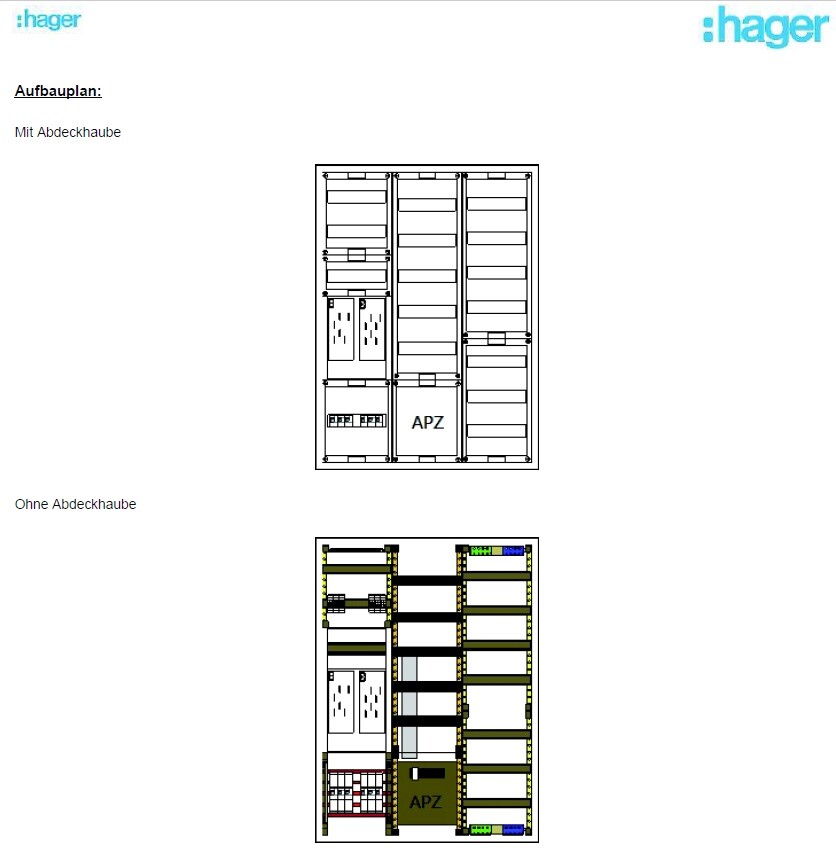
--> The distribution panel on the wall is attached (in case this is important).
Now to my questions:
1. I’m considering buying the FritzBox 7590 router because it seems to be one of the leading models on the market right now and has received very good reviews. I haven’t had good experiences with Speedports in the past, but the FritzBox has always left a positive impression.
– Does this make sense?
2. Is a router alone enough for this setup? It seems to me that there are too few ports on the router, so I definitely need a switch, correct?
I only know switches from LAN parties years ago and don’t have much experience with them. When connecting router <--> switch, do I lose any speed?
– If a switch is needed, what should I pay attention to when buying one? Are there any models you have had good experiences with?
3. Access points – how does this work? I am currently a bit unsure because I only had LAN cables pre-installed in the walls in the ground floor and attic hallway areas for the access points. Is that sufficient? How is the access point powered? Is it enough to simply plug this cable into the switch or the router? Is that even possible?
So: which cables should connect to the router, and which should go to a switch?
I would appreciate a simple explanation! I don’t need a high-end solution… There are currently and will be just two of us living in a very large house, no kids into gaming or anything like that… I just want reliable Wi-Fi throughout the house (since we have concrete ceilings) and good streaming of my Internet TV.
Additionally:
Are there any mounting options for switches or routers? At the moment, I don’t see any space for them in my distribution panel 😀
Slowly but surely, we are getting closer to moving in.
In about 4-6 weeks, we will most likely move into our new build.
For this reason, I am gradually starting to think about the technology in my house so that I have all the necessary information in time and everything works properly.
We built with a basement — so the utility room is located in the basement.
--> Fiber optic connection from the telecom provider – 100 Mbps with Magenta Smart TV (we only watch Internet TV – no satellite connection).
--> 7 double LAN outlets installed throughout the house (1x bedroom, 2x kids’ rooms, 1x living area, 1x office, 2x access points) – so 14 individual cables.
--> The distribution panel on the wall is attached (in case this is important).
Now to my questions:
1. I’m considering buying the FritzBox 7590 router because it seems to be one of the leading models on the market right now and has received very good reviews. I haven’t had good experiences with Speedports in the past, but the FritzBox has always left a positive impression.
– Does this make sense?
2. Is a router alone enough for this setup? It seems to me that there are too few ports on the router, so I definitely need a switch, correct?
I only know switches from LAN parties years ago and don’t have much experience with them. When connecting router <--> switch, do I lose any speed?
– If a switch is needed, what should I pay attention to when buying one? Are there any models you have had good experiences with?
3. Access points – how does this work? I am currently a bit unsure because I only had LAN cables pre-installed in the walls in the ground floor and attic hallway areas for the access points. Is that sufficient? How is the access point powered? Is it enough to simply plug this cable into the switch or the router? Is that even possible?
So: which cables should connect to the router, and which should go to a switch?
I would appreciate a simple explanation! I don’t need a high-end solution… There are currently and will be just two of us living in a very large house, no kids into gaming or anything like that… I just want reliable Wi-Fi throughout the house (since we have concrete ceilings) and good streaming of my Internet TV.
Additionally:
Are there any mounting options for switches or routers? At the moment, I don’t see any space for them in my distribution panel 😀
netuser schrieb:
Yes, but in this case, you can get a set of short colored cables for under 15 EUR and everything will be neat and organized.
I doubt the cables end up inside the electrical cabinet; they are probably routed next to it, right? So here, on a patch panel. If the electrician is doing the termination anyway, it’s best to get him the appropriate cabinet (around 100 EUR) and a matching patch panel so he can terminate the cables directly there.
Add a switch (plus a Speedport Smart 4 according to my recommendation) and everything works well together with the mentioned access points.That’s the issue... I have no idea where all the LAN cables end up. I thought the patch panel would always be inside the electrical cabinet in the end. There isn’t really any other option since there is no other “enclosure,” right? He can’t just place the patch panel somewhere next to it, can he?
What I could do: I could buy a network cabinet, assemble it in advance, and then tell him to install his patch panel inside it. That should be possible, right? From what I can tell, network cabinets don’t include patch panels by default, right? So I could have the electrician do all the terminations on the patch panel I order, which he then installs inside the network cabinet, and I just mount everything? As I said... I just don’t know how flexible this actually is.
Thanks for your input!

The electrician needs to leave the cables long enough so they can be routed all the way to the network cabinet. Extending them later would be problematic.
Patch panels come in 10” and 19” widths. A 10” panel can also be installed in a 19” cabinet using an adapter.
The 24-port switch you mentioned and the access point will work fine, or you can use the access point I suggested.
Network cabinets range from x to y in size. There are floor-standing and wall-mounted options, with various depths, etc.
A 9U cabinet, for example from Digitus, will be sufficient for you. You only need to fit a power strip, Fritzbox, patch panel, and switch inside.
I am a fan of centrally managed systems like Unify, but if you’re using Magenta and not very experienced, it’s better to go with the suggested solution.
The patch panel must be installed inside the cabinet first. Then the cables are fed in and terminated.
Installing a patch panel that is already terminated inside the cabinet usually requires at least partial disassembly of the cabinet.
Patch panels come in 10” and 19” widths. A 10” panel can also be installed in a 19” cabinet using an adapter.
The 24-port switch you mentioned and the access point will work fine, or you can use the access point I suggested.
Network cabinets range from x to y in size. There are floor-standing and wall-mounted options, with various depths, etc.
A 9U cabinet, for example from Digitus, will be sufficient for you. You only need to fit a power strip, Fritzbox, patch panel, and switch inside.
I am a fan of centrally managed systems like Unify, but if you’re using Magenta and not very experienced, it’s better to go with the suggested solution.
The patch panel must be installed inside the cabinet first. Then the cables are fed in and terminated.
Installing a patch panel that is already terminated inside the cabinet usually requires at least partial disassembly of the cabinet.
rick2018 schrieb:
The electrician needs to leave the cables long enough so they can be routed into the network cabinet. Extending them later would be problematic.
Patch panels come in 10” and 19” widths. You can install a 10” panel in a 19” cabinet using an adapter.
The 24-port switch you mentioned and the access point will work fine. Or you could go with the access point I suggested.
Network cabinets range from size x to y. There are freestanding, wall-mounted options, different depths, and so on.
A 9U cabinet, for example from Digitus, will be sufficient for you. You only need to fit the power strip, Fritzbox, patch panel, and switch inside.
I personally prefer centrally managed systems like Unify. But since you’re using Magenta and are not deeply into the topic, I’d recommend sticking with the suggested solution.
The patch panel must be installed inside the cabinet first. Then, the cables are inserted and terminated.
Installing a pre-terminated patch panel into a cabinet usually requires partial disassembly of the cabinet. So, for me this means: It would make sense to give the electrician a network cabinet that I have already assembled but not yet mounted on the wall, so he can feed everything into it, and I can then mount it on the wall afterwards, right?
In other words, it’s actually better for the electrician if nothing is fixed to the wall yet because otherwise he might not be able to work cleanly in all areas?
DIGITUS 19-inch Network Cabinet 9U - unassembled - wall-mountable - 400 mm (16 inches) depth - load capacity 60 kg (132 lbs) - glass door - gray
This should be suitable, and I could offer it to the electrician for installation, you think? Of course, I will check again with him beforehand!
I can easily order a suitable power strip myself.
Thanks a lot!!!
I still have a photo from a few weeks ago—this is what it looked like 2–3 weeks ago. Would it make sense to install the unit underneath, or does it have to be mounted strictly next to it? We still need to install the photovoltaic system on the left side... I’m worried that it might get too cramped otherwise.
That works well. Route the cables through the conduit and then into the network cabinet. This way, you can feed both power and LAN cables simultaneously and mount the patch panel. Use a surge-protected power strip. The electrician will need to install an outlet inside the network cabinet.
First mount the cabinet on the wall, then proceed with the installation.
First mount the cabinet on the wall, then proceed with the installation.
rick2018 schrieb:
It works well to run the cables through the duct and then into the network cabinet. That way, the power and network cables can be fed in at the same time, and the patch panel can be mounted right away. Use a protected power strip. The electrician will need to install a power outlet inside the network cabinet.
First, fix the cabinet to the wall, then proceed with the installation. Alright, so it’s best if I mount the cabinet directly to the wall so that everything can be installed afterward.
Brennenstuhl Hugo 4-Socket Power Strip with Surge Protection
That should be enough, right? I only need 2 sockets for the router and switch initially. That way I still have room for 2 more devices. An 8-socket power strip wouldn’t fit in terms of space anyway.
If his offer includes a pre-assembled patch panel, he would probably just nail it to the wall....
If you provide him with the cabinet and the appropriate patch panel, he will likely have no problem routing the cables directly through and connecting them to it...
I would install the cabinet below your electrical distribution board, since the cables are already there. Then they can be routed through the upper part of the cabinet and neatly installed. In my opinion, a 10" cabinet should be sufficient, for example a Digitus DN-10-09U. The advantage of this model is that it is only 30 cm (12 inches) deep, similar to the distribution board, so it does not protrude too far. This was important in my case, as it is located directly behind the door...
If you provide him with the cabinet and the appropriate patch panel, he will likely have no problem routing the cables directly through and connecting them to it...
I would install the cabinet below your electrical distribution board, since the cables are already there. Then they can be routed through the upper part of the cabinet and neatly installed. In my opinion, a 10" cabinet should be sufficient, for example a Digitus DN-10-09U. The advantage of this model is that it is only 30 cm (12 inches) deep, similar to the distribution board, so it does not protrude too far. This was important in my case, as it is located directly behind the door...
Similar topics